
1. The list in brief ↴
2. Best overall
3. Best budget
4. Best 40-series
5. Best lightweight
6. Best looking
7. Best battery life8. Benchmark comparisons
9. Recently reviewed
10. Find your perfect gaming laptop
11. FAQs
12. How we test
13. Why trust Laptop Mag
The best gaming laptops in 2025 usher in a new generation of GPUs, led by Nvidia’s GeForce RTX 50 series. While we haven’t tested every model yet, some early standouts with these powerful GPUs are starting to join our top picks — alongside excellent RTX 40 series laptops that still deliver incredible performance.
Every laptop on this list runs the latest AAA games like a dream. Your budget will determine just how good those games look, but I’ll help you find a machine that plays your favorites smoothly and reliably.
I’ve reviewed laptops for Laptop Mag for over seven years, including more than 90 gaming laptops. I can spot the pros and cons of a gaming rig within hours, and after a week of hands-on time, I can confidently tell you if I'd buy it myself.
Of course, my expertise is just one part of the process. To find the best laptops, we put each one through a gauntlet of performance, graphics, display, and battery life benchmarks. Some games are poorly optimized (looking at you, Monster Hunter Wilds), while others are just brutal (Cyberpunk 2077), but the best laptops survive both.
After testing, the laptops spend real time with our reviewers—gaming, working, and everything in between. Lab scores matter, but how a laptop feels in daily use is just as important. We evaluate everything from the thermals and keyboard to the software and webcam.
If you're shopping for the best gaming laptops in any category — budget, premium, or somewhere in between — this is the list to trust. If you're looking for the cheapest RTX 50-series gaming laptops, you won't have to wait long, since the RTX 5060 and RTX 5050 might be launching soon.
Click to view recent updates to this page.
Update Log
6/4/25: Added another entry: Alienware 16 Area-51 as the best looking gaming laptop.
The Quick List

Best overall
The MSI Raider 18 HX AI provides overwhelming power with its RTX 5080 graphics performance and stunning MiniLED display. This is easily the best gaming laptop for you (if you got the goods).

Best budget
The Dell G16 (7630) is an absolute stunner with its premium features, like a colorful display and mechanical keyboard, priced at under $1,000. This is the best for the least.

Best 40-series
The Lenovo Legion Pro 7i strikes a balance between intense RTX 4080 graphics performance and relative affordability. And with few flaws, it makes for the best 40-series gaming laptop.

Best lightweight
The Razer Blade 16 (2025) is stacked. It has a beautiful display and a bouncy keyboard, as well as a Ryzen AI 9 CPU and Nvidia 5090 GPU. It’s a beast of a machine that surprisingly sleek and thin.

Best looking
The Alienware 16 Area-51 is the most stylish gaming laptop out there, and that's not the only thing going for it. It's got a powerful RTX 5090 GPU and it's ready to pounce with its mechanical keyboard.

Best battery life
The Asus TUF Gaming A14 rocks the gaming industry with the longest lasting battery life we've tested in years. All that battery life does not come at the expense of power thanks to its RTX 4060 GPU.

Rami has reviewed and tested dozens of gaming laptops for more than seven years at Laptop Mag. He gets to game on a new machine every time one comes in for review, so he's an expert on what works and what doesn't for any budget. Currently, he's using the HP Omen Max 16 with an Intel Core Ultra 9 275HX CPU and Nvidia GeForce RTX 5090 GPU, which has been very reliable thus far (and got a 4 out of 5-star review). Rami knows that budget shouldn't compromise on quality and that you deserve the most for your coin. Extensive testing and hands-on training have taught Rami which gaming laptops are the best for every budget.
The best gaming laptops of 2025
Why you can trust Laptop Mag Our expert reviewers spend hours testing and comparing products and services so you can choose the best for you. Find out more about how we test.
Each gaming laptop on this list has been painstakingly tested and received the hands-on time necessary to review it. You can rest assured that any choice you make will equip you to run the games you love the most.
Best overall


MSI Raider 18 HX AI is a force of nature. Yes, it's a hecka pricey, but its RTX 5080 power, MiniLED display, keyboard, and audio more than make up for it.
✔️ You want that raw power: Don't mess around with a big gaming laptop rocking an RTX 5080 GPU. This thing will tear through any game you throw at it.
✔️ You want the biggest and brightest display: Despite the name, we usually advise against putting a laptop, especially a gaming laptop, in your lap. However, the Legion 7i offers reliable thermals.
✖️ You aren't made of money: The Raider will raid your bank account before you can even say, "Please, don't, no, stop."
✖️ You need a long-lasting battery: If you're using this for anything other than gaming, forget about it. You won't get far on less than 3 hours of battery life.
Looking for the best? The MSI Raider 18 HX AI with an Nvidia GeForce RTX 5080 with 16GB VRAM is the answer. It not only supports epic performance but also a bright MiniLED display, a pleasant keyboard experience, and some bangin' audio.
Madeline Ricchiuto writes, "For a premium desktop replacement laptop like the Raider, the miniLED panel is more than just a utility feature; it’s a key selling point," in our review of the MSI Raider 18 HX AI.
Ready to watch an RTX 5080 do some work? Bouncing across rooftops in Assassin's Creed: Mirage (Ultra, 1080p), the Raider scored 153 fps, defeating the Razer Blade 16 (120 fps) and the Gigabyte Aorus Master 16 (145 fps). The Raider 18 spread chaos across Night City in Cyberpunk 2077 (Ultra, 1080p) at 64 fps, defeating the Aorus (62 fps) and falling shortly behind the Razer (66 fps).
Jumping in with an 18-inch, 4K, 120Hz, MiniLED display, the MSI Raider 18 HX AI covered 83.1% of the DCI-P3 color gamut and averaged 668 nits of brightness. That's some decent color and a hell of a lot of brightness. You'll have the best chance of survival when suffering poor lighting conditions in video games.
The full-size keyboard is bouncy. And thanks to the Raider's well-spaced keys on a large deck, typing is an overall pleasant experience. "Your fingers won’t bottom out while frantically typing directions in your raid chat."
It's no secret that gaming laptops get hot as the nine layers of hell (yes, this is a D&D reference). Despite its very loud fans, the Raider still outputs spicy levels of heat (so maybe avoid putting this in your lap).
Then there's the short battery life, coming in at a measly 2 hours and 33 minutes. Not to mention that the Raider costs more than most people's rent.
However, the MSI Raider 18 HX AI is a beast of a gaming laptop that shines in the era of Nvidia's new RTX 50-series GPUs.
See our full MSI Raider 18 HX AI review.
Best budget
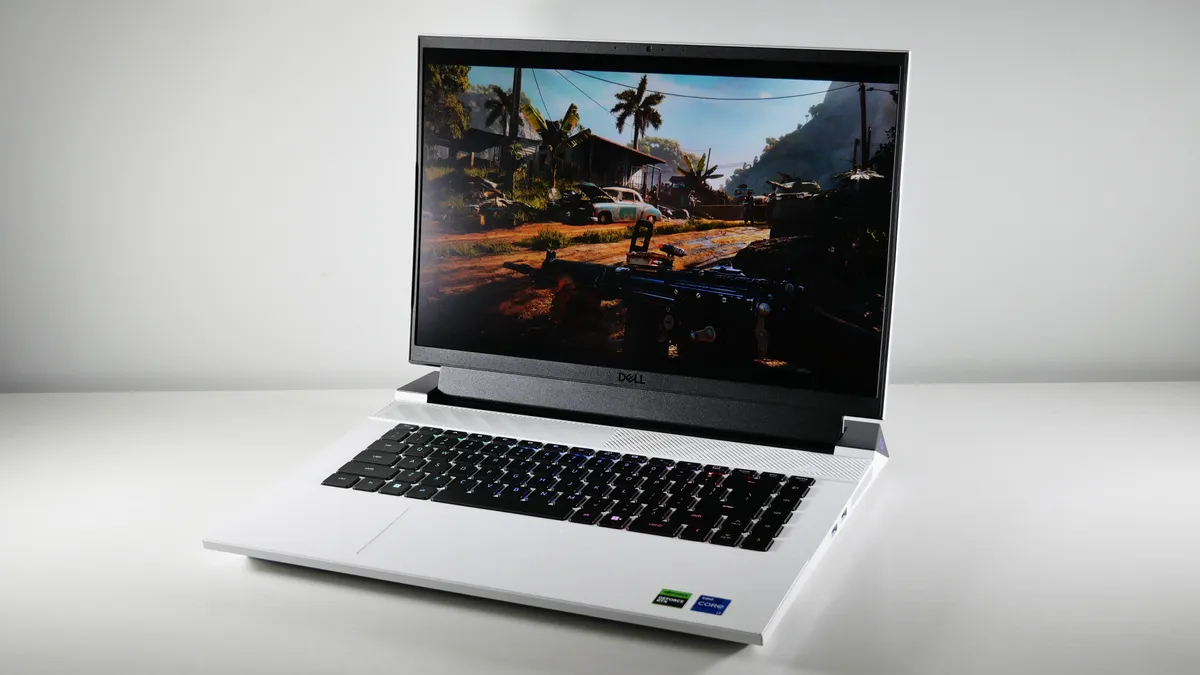


Dell G16 (7630) is the only budget gaming laptop I've seen support a vivid display and a mechanical keyboard packaged under $1,000. On a budget? Buy this.
✔️ You want competitive performance on a budget: This sub-$1,000 doesn't stick you with a measly RTX 4050. You get the best on a budget: an RTX 4060 GPU, which can produce above 60 fps in select AAA games on Ultra settings.
✔️ You want premium features: I fell in love with the Dell G16 (7630) because of its vivid display and mechanical keyboard, which you couldn't find in any other budget gaming laptop.
✖️ You want strong speakers: Unfortunately, not everything gets a premium spin. These speakers are hollow and hard to listen to.
✖️ You want a comfortable touchpad experience: This touchpad is so small is might as well not exist (that's a joke, Dell). No but seriously, it's hard to use.
I haven't been able to champion a budget gaming laptop in quite some time. At the risk of sounding like an old man, they just don't make them the way they used to... until now. Let me introduce you to the Dell G16 (7630), a sub-$1,000 gaming laptop with $2K+ gaming features.
Rami Tabari writes, "If I wanted to jump into battle with my friends on a budget, this is the gaming laptop I’d take with me," in our review of the Dell G16 (7630).
The Dell G16 (7630)'s Nvidia GeForce RTX 4060 8GB GPU puts in the strong effort you'd expect. Navigating Night City in Cyberpunk 2077 (Ultra, 1080p) was a breeze, with the G16 averaging 33 fps. That surpassed the Asus TUF Gaming A14 (30 fps) and Acer Predator Helios Neo 16 (32 fps) while just coming short of the Lenovo Legion Pro 5 (37 fps), which is natural due to its RTX 4070 GPU. The G16 then took a leap of faith in Assassin’s Creed Mirage (Ultra, 1080p) at 88 fps, matching the Helios Neo 16 (88 fps) and sliding past the TUF Gaming A14 (87 fps), but lagged behind the Legion Pro 5 (103 fps).
One of the premium features I'd mentioned is its 16-inch, 2560 x 1600, 240Hz display. First, its specs are high-quality but so are its benchmarks. It covered a stunning 114% of the DCI-P3 color gamut. While it is dim, at 310 nits of brightness, that's a problem solved by turning off the lights (I apologize to your eyes in advance).
Then there's the keyboard. There are $2K+ premium gaming laptops that don't even support a keyboard this good, our best overall gaming laptop included. The Dell G16 (7630) features a Cherry MX tactile mechanical keyboard. You won't find these punchy, clicky keys in any other budget gaming laptop.
The battery life is even decent. The Dell G16 (7630) clocked in 5 hours and 4 minutes on the Laptop Mag battery test. It's no TUF Gaming A14 (10:04), but its battery life outlasts the average budget gaming laptop by a whole hour.
This budget gaming laptop does come with caveats. There's the hollow, harsh speakers, which basically force you to buy a discrete gaming headset. Then there's the tiny touchpad. I mean, any gamer was going to use a gaming mouse anyway, but it makes general use frustrating.
Despite that, I wouldn't buy any other gaming laptop under $1,000.
See our full Dell G16 (7630) review.
Best 40-series


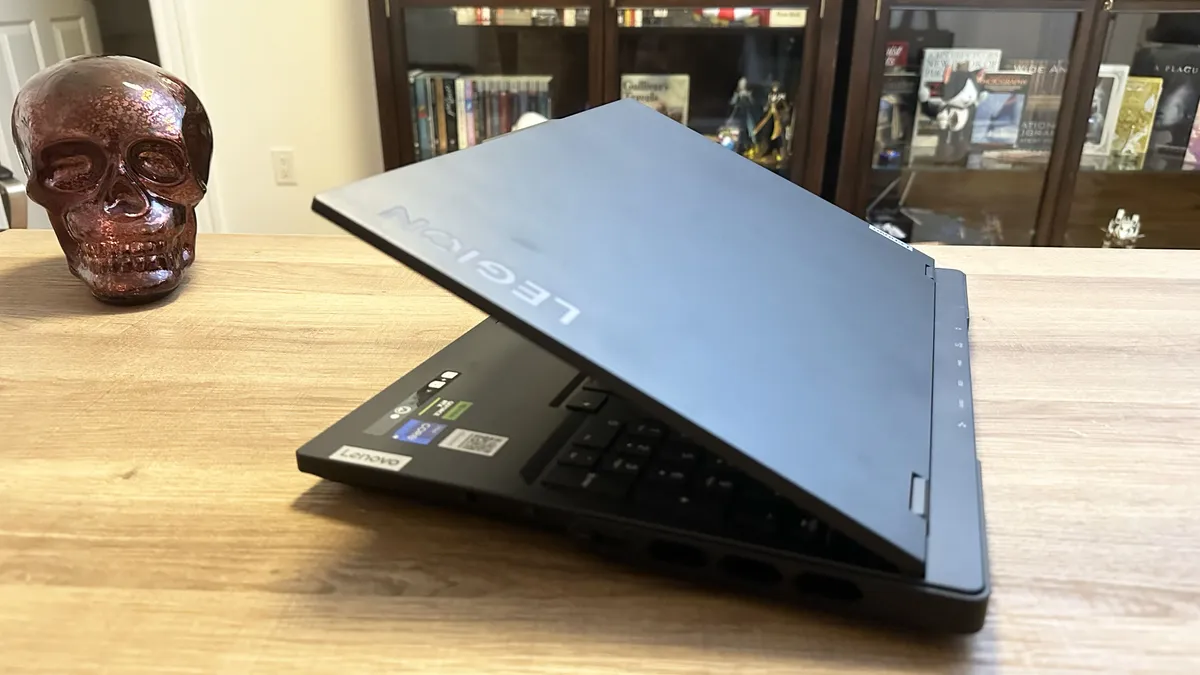


Lenovo Legion Pro 7i (Gen 9) is an outstanding example of what it means to be a gaming laptop. It hits all the marks, including performance, display, keyboard, and audio. Want the best? This is it.
✔️ You want your gaming laptop to meet the golden standards: Not only does this offer excellent performance but also a vivid display, clicky keyboard, and loud audio. These are what make a good gaming laptop.
✔️ You want the best under $2,500: Listen, $2,500 isn't cheap. However, there are $5K gaming laptops out there. If you want the best overall gaming experience in a laptop, this is a great price to get it.
✖️ You want a 4K or OLED display: While this supports a vivid and bright display, the specs themselves are somewhat underwhelming. Without 4K or OLED, it's not as sharp or as bold as it could've been, respectively.
✖️ You want to travel with it: The two biggest cons that we hit this laptop with is its heavy weight and short battery life, making this a tough travel item.
The Lenovo Legion Pro 7i (Gen 9) ushered in the previous age of gaming laptops with its powerful Intel Core i9-14900HX processor and Nvidia GeForce RTX 4080 GPU with 12GB of VRAM. That performance isn't the only head-turning feature. Its vivid display, loud audio, and satisfying keyboard wrap this beauty in a bow.
Madeline Ricchiuto writes, "The Lenovo Legion Pro 7i is a gamer’s gaming laptop," in our review of the Lenovo Legion Pro 7i (Gen 9).
Let's start with performance. The Lenovo Legion Pro 7i averaged 105 frames per second on the Far Cry 6 (Ultra, 1080p) benchmark, keeping pace with the MSI Vector 16 HX (98 fps) while dominating the Alienware X16 R2 (88 fps) and its last-gen model (97 fps). The Legion and its competitors landed in similar positions on the Red Dead Redemption 2 (Medium, 1080p) benchmark, with the Pro 7i at 96 fps, the Vector 16 at 104 fps, the X16 R2 at 90 fps, and the Gen 8 at 69 fps.
Then there's the display. A gorgeous 16-inch, 2560 x 1600, 240Hz panel clocking in 108.7% of the DCI-P3 color gamut and 456 nits of brightness. Translation: it's vivid and vibrant enough to immerse you in your favorite games.
With widely spaced keys and an actuation force that feels crisp and springy, the Lenovo Legion Pro 7i's keyboard puts off the notion that you need a mechanical keyboard to get serious gaming done.
Same goes for sporting a gaming headset (outside of playing games online, of course), as the Legion Pro 7i supports the Harman Super Linear Speaker System. That equates to two woofers and two tweeters, which are supported by a smart amp. If you want big, immersive sound, this is it.
Unfortunately, the Lenovo Legion Pro 7i is on the heavier side for a gaming laptop. And the battery life falls short, at 4 hours and 29 minutes. Even for a gaming laptop, we expect more.
But overall, the Lenovo Legion Pro 7i is the champ of the RTX 40-series era.
See our full Lenovo Legion Pro 7i (Gen 9) review.
Best lightweight
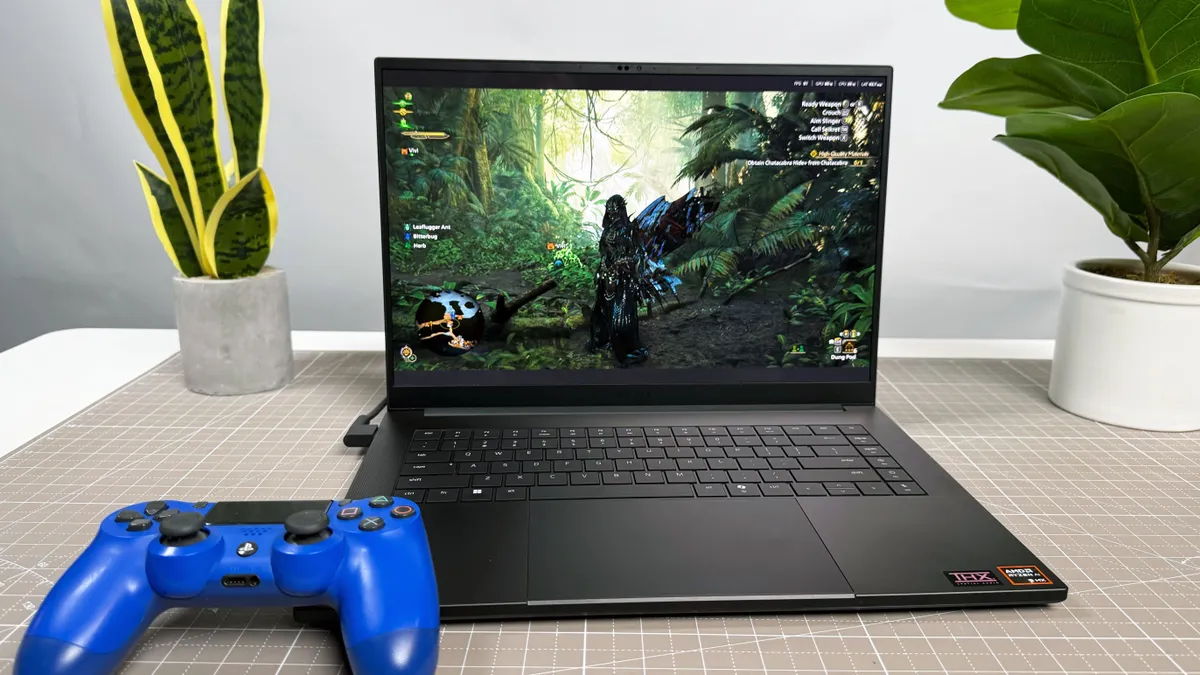


Razer Blade 16 (2025) doesn't bank on its RTX 5090 to do everything. It proves itself with a stunning OLED display packed in a thin-and-light chassis.
✔️ You want power and battery life: Even with an RTX 5090 stacked with 24GB of VRAM, the Razer Blade 16 still managed over 7 hours of battery life.
✔️ You want a display and audio to reflect performance: With an OLED display and bangin' audio, you are getting a proper multimedia experience in this ultraportable gaming laptop.
✖️ You can't dump $4,499: There's no denying that this laptop is expensive, but with a top-of-the-line new GPU in this form factor, it isn't shocking. Whether it's a deal-breaker is up to you.
✖️ Trading portability for performance: This thin-and-light gaming laptop does sacrifice some gaming performance to maintain its portability, so if you're particular about getting the best of the best, you may need to wait.
Razer is the Apple of gaming laptops, offering premium thin-and-light machines through its Razer Blade series, and the Razer Blade 16 now leads the charge with Nvidia's latest RTX 50-series GPUs. Spending over $4,000, even for a top-tier gaming laptop, is a tall order, but for that proverbial arm and a leg, you get an absolute powerhouse that shrugs off almost everything you can throw at it.
Madeline Ricchiuto writes, "The Blade 16 is a fantastic laptop, offering a gorgeous OLED display, impactful audio, over 7 hours of web surfing battery life, a bouncy keyboard, and plenty of ports while weighing just 4.6 pounds," in our review of the Razer Blade 16 (2025).
The Blade's Nvidia RTX 5090 with 24GB of VRAM cut through frame rates like a hot knife through butter, smoothly and immensely satisfying. It crushed most of its competitors in the battle for frame rates. On the Red Dead Redemption II benchmark, the Blade nailed 87 fps. With the RTX 4090 GPU, the previous Razer (61 fps) was no match. Meanwhile, the Alienware x16 R2's RTX 4080 GPU got only 44 fps.
The notebook breezed through our overall performance tests with its AMD Ryzen AI 9 HX 370 CPU and 32GB of RAM. Its 2TB SSD configuration posted a blistering 1,730 megabytes per second in our file transfer test. However, it gets so hot it may singe a finger.
It even supports strong battery life, surviving 7 hours and 22 minutes on our battery test. That's unprecedented for a gaming laptop with a max-tier GPU. It even survived 2 hours and 28 minutes on the PCMark 10 gaming test. Again, this may not be the longest battery life, but it's hella impressive and adds to its portability quality.
Are you ready to hear about this monster's gorgeous 16-inch, 2560 x 1600 OLED display clocked in at 240Hz? This baby has a decent 372 nits of brightness and covers an intense 144.6% of the DCI-P3 color gamut. You will experience a level of immersion to rival a mini-LED display (and I don't say that lightly).
There's not much we can do about the price or heat, but if you stay tuned to our best gaming laptop deals, you might see the Razer Blade for a discounted price (eventually).
See our full Razer Blade 16 (2025) review.
Best looking


Alienware 16 Area-51 isn't just a powerhouse, it's the best looking gaming laptop around thanks to its sci-fi-esque design and a lightbar that'll make you go "whoa."
✔️ You want the best looks: Yes, it offers killer performance, epic speakers, and a mechanical keyboard, but most importantly, it's pretty as hell.
✔️ You want awesome performance at a decent price: While the Area-51 isn't cheap, it's actually one of the more affordable power-hungry RTX 5080 gaming laptops.
✖️ You want an OLED display: The Area-51 does sport a super bright display, but it's no where near as colorful as an OLED display would be. So if you're looking for a fever dream of colors, this ain't it.
✖️ Trading performance for portability: Unlike our lightweight champ, this is one hell of a chunky baby, so if you're traveling with the Area-51, you might want to do some stretches first.
Alienware rocked some slick designs in the past, but the Alienware 16 Area-51 is on another level. It's also among the new wave of Alienware gaming laptops to feature the latest RTX 50-series GPU. And it's also much cheaper than the $4K+ competition we've seen pop up. You can get the Alienware 16 Area-51 for around $3K depending on the deal.
Rami Tabari writes, "This thing looks like it’s about to blast the thrusters and head to outer space."
The best part about its spaceship aesthetic is the light bar on the hinge. It straight up looks like an aurora borealis. The curves and vents give off the thrusters vibe. And there's RGB lighting practically everywhere, including the touchpad and fans. There's also a glass window on the underside where you can get a look at the internals. Will you be seeing it much? No. Is it cool? Yes. The only issue with the design is one that comes with its power, and that's a 7.13-pound chassis.
The Area-51 pops off with the new Nvidia GeForce RTX 5080 16GB GPU, sending even RTX 5090 gaming laptops quaking in their proverbial boots. It jumped to 149 fps in Assassin's Creed Mirage, flying past the HP Omen Max (137 fps, RTX 5090), Razer Blade 16 (120 fps, RTX 5090), and Aorus Master 16 (145 fps, RTX 5080). Then in scored 121 fps in Far Cry 6, surpassing the Omen (109 fps), Blade (97 fps), and Aorus (120 fps).
With an Intel Core Ultra 9 275HX processor and 32GB of RAM, the Alienware 16 Area-51 also dominated its competition in overall performance. It's the only gaming laptop that broke the 20K bracket in Geekbench 6. Not by much, as the Omen Max (19,822) was nipping at its heels. Its 1TB SSD did make it over a 1-GBps transfer speed, but it wasn't nearly as fast as the Blade (1,730 MBps).
Now, the Area-51's 16-inch, 2560 x 1600, 240Hz, LED display is super bright, at 516 nits, but it's no where near as colorful as an OLED display. For comparison, it covered 81.6% of the DCI-P3 color gamut, whereas the Razer Blade's OLED display covered 144.6%. That's nearly double.
Also, since this is such a monster, you're not getting the best battery life, as it scored only 4 hours and 10 minutes. Around 5 hours is about average for modern day gaming laptops, so we hoped for something a little better. But when gaming you can nearly squeeze in 2 hours of play time (1:50). Although, I don't see why you'd ever have this immovable object unplugged.
The Area-51 is a great price already, but you can stay tuned to our best gaming laptop deals to see if it gets a deeper sale.
See our full Alienware 16 Area-51 review.
Best battery life


Asus TUF Gaming A14 doesn't sacrifice its performance for the sake of battery life. It's a killer with its RTX 4060 GPU and bright display.
✔️ You want an affordable gaming laptop: This falls somewhere between budget and high mid-range. At under $1,500, it offers excellent features that premium gaming laptops don't have.
✔️ You want the longest battery life: You won't find a longer lasting gaming laptop than this. You can get work or school done within 10 hours and then plug-in this laptop at the end of the day to game.
✖️ You need excellent performance: An RTX 4060 can run AAA games without issue. Despite that, you won't get your fps into the triple digits at max settings.
✖️ You want a smooth touchpad experience: Yes, it's super portable, but if you're on the go you're going to use a touchpad. Unfortunately, this is too sluggish for my liking.
I haven't seen a gaming laptop with double-digit battery life in years. The Asus TUF Gaming A14 is rocking an Nvidia GeForce RTX 4060 and it still hit 10 hours and 4 minutes on our battery test. The average time for gaming laptops is still around 5 hours, much to my own disappointment. However, with the TUF Gaming A14, you can go about your day normally until you get a break to plug in and game.
Claire Tabari writes, "The TUF Gaming A14 is a sturdy, lightweight miracle designed to withstand accidental drops and extreme conditions," in our review of the Asus TUF Gaming A14.
Loaded up with AMD Ryzen 7 8845HS and Nvidia GeForce RTX 4060 GPU, the Asus TUF Gaming A14 tore through our benchmarks. It clocked in most titles at or over 60 fps, like Assassin's Creed Mirage (87 fps), Far Cry 6 (77 fps), and Red Dead Redemption 2 (61 fps). And despite how chunky Cyberpunk 2077 can be, it managed 30 fps, achieving the minimum for playability.
Again, shockingly, its display didn't hinder its battery life. Its 14-inch, 2560 x 1600, IPS, 165Hz panel performed quite well for the price, covering 82% of the DCI-P3 color gamut and averaging 411 nits of brightness. (I don't want to hear excuses again, manufacturers). With an RTX 4060 GPU, you can still experience immersive play thanks to this stunning display.
All that battery and performance is packed into a light and thin chassis. I'd argue the numbers were wrong if we didn't review it ourselves. The TUF A14 measures 3.2 pounds and 12.24 x 8.94 x 0.67~0.78 inches. Between its size and battery life, it makes for the optimal gaming laptop to be used on the go.
Despite that, we recommend using a gaming mouse most of the time, as the touchpad experience was less than ideal. It's The sluggish, offering too much resistance when in use.
Regardless, the Asus TUF Gaming A14 the champion of battery life in gaming laptops. We even included it in our laptops with best battery life ranking. And if you're wondering what the best gaming laptop for coding/programing would be, this is likely it due to its long battery life. It would also be the best gaming laptop for work for the same reason.
See our full Asus TUF Gaming A14 review.
Benchmark comparisons
Click to view chart data in table format
| Header Cell - Column 0 | MSI Raider 18 HX AI |
Dell G16 (7630) |
Lenovo Legion Pro 7i |
Razer Blade 16 (2025) |
Alienware 16 Area-51 |
Asus TUF Gaming A14 |
|---|---|---|---|---|---|---|
Geekbench 6 (Higher is better) |
21,851 |
11,209 |
17,329 |
16,025 |
20,498 |
11,330 |
Handbrake time (Lower is better, (MM.SS)) |
2.07 |
4.19 |
3.11 |
3.12 |
1.58 |
4.21 |
Far Cry 6 benchmark (Higher is better) |
118 |
85 |
105 |
97 |
121 |
77 |
Assassin's Creed Mirage benchmark (Higher is better) |
153 |
88 |
123 |
120 |
149 |
87 |
Red Dead Redemption 2 benchmark (Higher is better) |
117 |
64 |
96 |
87 |
117 |
61 |
SSD Transfer rate (Higher is better, MBps) |
2,252 |
1,719 |
2,025 |
1,730 |
1,149 |
1,339 |
Battery life - Web surfing (HH.MM) |
2.33 |
5.04 |
4.29 |
7.22 |
4.1 |
10.04 |
Battery life - Gaming (HH.MM) |
1.46 |
1.06 |
0.51 |
2.28 |
1.5 |
1.06 |
DCI-P3 Color Gamut (Higher is better) |
83.1 |
114 |
108.7 |
144.6 |
81.6 |
82 |
Display Brightness (Nits) |
668 |
310 |
456 |
372 |
516 |
411 |
Hottest temperature (Lower is better, 95 degree comfort threshold) |
115 |
107 |
106.7 |
125.8 |
118.7 |
104 |
Recently reviewed
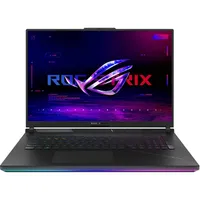
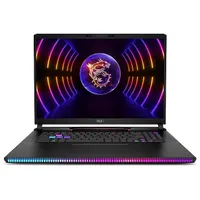
We deliberately make our best gaming laptops list short so you don't suffer from indecision. However, if you like having all of your options open to you, we have quite a few gaming laptops that we've also tested. Get ready to go swimming.
These can range from excellent to subpar, but each has its own pros and cons. Here's our list.



How to find the right gaming laptop
When shopping for a gaming laptop, there's a lot to consider. We wrote a detailed piece about the nine most important factors for buying a gaming laptop. But to simplify the process of choosing a system, here are seven key points to keep in mind.
Budget: How we split cost categories
Money is getting tight. There was a time when you could find a good gaming laptop for under $1,000, but those are few and far between. If you're looking for a quality gaming laptop and are trying to budget yourself, try aiming for at least $1,300. If you have a larger budget, you can push for a more powerful mainstream gaming laptop, which is often priced between $1,500 and $2,000.
Premium systems typically cost more than $2,000 and come stacked with many high-powered goodies such as high-powered specs and tricked-out software. Remember that the bigger the GPU, the bigger the gaps in price points. So, list the games you play and start checking the PC requirements. Almost any gaming laptop with a 40-series GPU can play an indie game, but if you're dabbling in AAA titles, you have to decide which settings you're comfortable playing on.
Screen Size: 14 and 16 inches are the go-to
You'll rarely find a 13-inch gaming laptop nowadays, and 15.6-inch laptops have taken a backseat to the hyped-up 14-inch and 16-inch laptops. Those 17-inch gaming laptops also feel like a thing of the past. Well, now we have 18-inch gaming laptops. Yeah, they're beasts, but what all these sizes have in common is that they're getting more compact.
If you're looking for a gaming laptop to take on the go and even use as a school or work laptop, 14-inch gaming laptops are the perfect fit. Smaller gaming laptops also tend to have longer battery life as well. 16-inch gaming laptops are more manageable in size than 17 or 18-inch machines without sacrificing any power. But if you're looking for true desktop replacements, you'll probably want to go all out with a larger size. They tend to be the most powerful but require you to always be near an outlet.
Screen Resolution: 1080p (high refresh rates), 4K (detail), 1440p (sweet spot)
Regarding gaming laptop displays, you want to balance frame rates and aesthetics. And if you're planning to get a truly mobile system, battery life also deserves consideration. A 1080p resolution is the bare minimum you'll find, which isn't great unless you're trading resolution for a high refresh rate. Panel makers now serve up screens with a 360Hz refresh rate and a three-millisecond response time. But I don't count out 4K screens yet, as many laptops with 4K displays are clocked at 120Hz. Remember that laptops with lower resolutions tend to have longer battery life overall.
Are you looking for a sweet spot between the two? More and more gaming laptops are shipping with 1440p displays, which provide high refresh rates and a sharp panel. This strikes an outstanding balance between the two without charging a premium price.
Refresh rate: 120Hz is a minimum
Depending on the kind of games you're playing, particularly first-person shooters and MOBAs, you'll take anything that enhances accuracy. Surprisingly, the higher a display's refresh rate is, the more accurate your shot becomes. We've experienced this firsthand during many demos. At this point, 60Hz is unacceptable for a gaming laptop, so we recommend investing in a panel with at least a 120Hz refresh rate.
You also have to balance graphics performance with resolution and refresh rate. Sometimes, a laptop is paired with a low-performing GPU and a high resolution and refresh rate. The math doesn't add up. If your gaming laptop cannot take advantage of the sharp screen or high refresh rate, then what's the point? Make sure you check the benchmarks.
Intel or AMD?
A couple of years ago, the answer to this question would have been undoubtedly Intel. However, AMD has made a furious comeback with its new Ryzen CPUs, which deliver outstanding overall performance and battery life. Thanks to the new Ryzen chips architecture, they're super power efficient without sacrificing productivity. The Ryzen 8000 series CPUs have consistently impressed with its performance versus battery life.
Not to be outdone, Intel's latest Lunar Lake and Arrow Lake chips are nothing to sneeze at. These powerful chips are catching up with AMD in their battery life game.
Gaming laptops have been balancing performance with battery life, changing the use case for these rigs for the better.
Battery Life: At least 5.5 hours
Unless it's plugged in, a gaming laptop's battery life tends to be very short, especially when gaming. However, the battery life of gaming laptops has increased over the years. So much so that anything under 5.5 hours is considered below average. We've reviewed several gaming laptops that last a whole workday and jump into the double digits. With results like that, we expect gaming laptops will match their non-gaming counterparts sooner rather than later. Our most recent power-efficient gaming laptop is right on this page (Asus TUF Gaming A14), lasting over 10 hours.
Specs: 1080p / Core i5 / 16GB are a minimum
You can spend a lot of time delving into specs, but here are the key components. If you want decent mainstream performance, go for a Core i5 CPU, 16GB of RAM, a 512GB SSD, and a 1080p screen.
FAQs
Do I really need an RTX 4070 / RTX 4080 / RTX 4090?
That entirely depends on what you're looking to get out of a gaming laptop. If you just want to game, period, then you can get away with an RTX 4060 gaming laptop. It's a powerful GPU, and thanks to its 8GB of VRAM, there's no AAA game you cannot play on the lowest settings. But as you may have seen with our testing, an RTX 4060 can get you 60+ fps in select AAA games on Ultra, 1080p settings.
Now, the good and bad of gaming laptops nowadays is that they don't often feature 1080p displays anymore, so you're never really making full use of those panels. Meanwhile, an RTX 4070 could carry you to reliable frame rates at higher resolutions. It can also make use of high refresh rates and low resolutions.
Then there's the RTX 4080 and RTX 4090 GPUs, which elevate both aspects to their extremes. If you want to game in 4K at Ultra settings at high fps, these are the GPUs you need.
Should I get an RTX 50-series gaming laptop instead?
Great question! Yes and no. If you want the latest and greatest in tech, and want to experience all those slick new DLSS 4 features, then RTX 50-series gaming laptops are right for you.
Yes, RTX 50-series gaming laptops are stronger and better than some of the laptops currently on this list thanks to DLSS 4. However, the laptops on this list will eventually drop in price because of their siblings jumping into existence. These gaming laptops are amazing, so if you want to save money and get an excellent rig, be on the lookout for those best gaming laptop deals.
Gaming laptop vs. desktop
I wrote a whole article about the gaming laptop vs. gaming PC debate, which will give you a more in-depth explanation. However, in brief, it entirely depends on your circumstances.
Gaming desktops are cheaper and more powerful, while gaming laptops are more portable and offer everything you need in one clean package.
I prefer a gaming desktop experience, but that's because I have a dedicated desk and I am not traveling anywhere. However, it is nice to cuddle up in my bed with a gaming laptop at two in the morning.
Can I use a gaming laptop for school or work?
A gaming laptop can definitely work for school, the option we recommend in our best student laptops guide is the Asus TUF Gaming A14, which is the best battery life pick on this page. It lasted over 10 hours in our testing, an important feature for most students and the Achilles' heel for most gaming laptops. It's also not too heavy at 3.2 pounds, so you won't regret hauling it around campus if you're in college.
Whether a gaming laptop is right for your work is going to depend on a lot of factors. In all likelihood, it will be able to handle whatever your workload might be, but whether it is the right look for your work could differ. The Asus TUF Gaming A14 is again a potential candidate for the reasons above that make it a good student pick. Additionally, once you remove the stickers and turn off the RGB lighting on the keyboard, it's a fairly minimalist design that doesn't scream gaming laptop as you set it down at a meeting room table. However, depending on whether you regularly meet with clients or are in a very professional work setting, one of the best business laptops may be the better choice.
How we test gaming laptops
When we bring a laptop into our lab, we aim to see how it would work if you brought it into your home or office. While we use industry-standard benchmarks such as Geekbench and 3DMark, we focus heavily on real-world tests that we have developed in-house.
To test endurance, the Laptop Mag Battery test surfs the web at 150 nits of brightness until the system runs out of juice. We use a giant spreadsheet macro that matches 65,000 names with their addresses to judge pure processing power, a video transcoder that converts a 4K video to 1080p, and the Geekbench 5/6 synthetic test.
We ramp up our 3DMark testing to also include Fire Strike Ultra and Time Spy Extreme, which determine how well the laptop copes with DX11 and DX12 4K graphics workloads. If the laptop is equipped with a graphics card that supports DirectX ray-tracing, we also use the 2560 x 1440 Port Royal test. (We don’t bother with Night Raid here—who cares about integrated graphics on a gaming laptop?) For the best-equipped laptops on the market, we may also run Speed Way, which plies the deepest and most demanding features of DX12 Ultimate.
We run all of the gaming benchmarks in full-screen mode with vertical sync disabled, always at least at 1920 x 1080 (1080p) resolution, as well as the laptop's native resolution. Games include: Red Dead Redemption 2, Assassin's Creed Mirage, Shadow of the Tomb Raider, Borderlands 3, Far Cry 6, and more.
When we're testing gaming laptops with the same GPU, sometimes there are only a handful of frames that decide a victory. Now, we're not saying you should pick your gaming laptop based on a couple of fps. However, there are some gaming laptops with the same GPU that perform much worse than others, so be sure to see our testing.
We use a colorimeter to measure screen brightness and color gamut, while other instruments help us determine a laptop's key travel and ambient heat.
Following these tests, the laptop is given to our expert reviewers for extensive hands-on testing. Our reviewers will spend days using the laptop as part of their typical workflow to get a sense of the real-world performance and live with the laptop to come away with a thorough understanding of the hardware and software experience. This blended lab testing and hands-on approach allows us to offer you a clear and comprehensive view of every laptop that comes through Laptop Mag.
See this page on How We Test Laptops for more details on our benchmarking procedures.
Why Trust Laptop Mag
Laptop Mag has been testing and reviewing laptops for over two decades. We test over 150 different models per year, subjecting each system to a series of rigorous benchmarks that provides a complete picture of performance, battery life and usability.
Our expert reviewers also use each product to see how it looks and feels in everyday situations. Because we see so many different notebooks, we can compare each to its direct competitors and give you an idea of how it stacks up to the average laptop in its price band.
