
1. The list in brief
2. Best overall
2. Best for students
3. Best for kids
4. Best keyboard
5. Best for gaming
6. Benchmark comparisons
7. Recent reviews
8. How to find the right Chromebook
9. FAQs
10. How we test
11. Why trust Laptop Mag
The best Chromebooks in 2025 are far more capable laptops than the basic machines that debuted in June of 2011. They started as simple, cheap laptops focusing on security and ease of use, but many have become some of the best laptops to buy. Competitively priced compared to the best Windows laptops and best MacBooks, it's now easy to find a Chromebook with an elegant, thin, and lightweight design and features like OLED displays.
Chromebooks boast a simple, user-friendly interface that integrates with the Google ecosystem, making them a solid choice for many people. Google announced the Chromebook Plus line in October 2023, which offers increased CPU performance from more powerful Intel chips from Intel's 13th Generation up through the Intel Core 100 series.
They also include several of Google's AI features, as well as the new Gemini AI assistant. Chromebook Plus devices receive additional features and access to the Advanced version of Gemini.
Whether you're looking for a budget-friendly Chromebook, a powerful Plus Series model, or even a Chromebook for gaming, we've got you covered. Keep reading to find the best Chromebook for you.
This page is regularly updated with our latest reviews to reflect Laptop Mag’s top picks for 2025.
Click to view recent updates to this page.
Update Log
6/17/25: Added Acer Chromebook Spin 312 as best student Chromebook. Updated the following sections: recently reviewed, benchmark comparisons, intro, FAQs, and how to choose.
The Quick List

Best Chromebook overall
With an Intel Core 3 100U processor, the Samsung Galaxy Chromebook Plus boasts solid performance, all-day battery life, and a bright, big AMOLED screen. All for just $699.

Best Chromebook for students
It's not often one of the best laptops for students comes with a solid combination of performance, battery life, portability, and a vivid display for under $500.

Best Chromebook for kids
The Lenovo Chromebook Duet 11 Gen 9 features a MediaTek Kompanio 838 processor, solid battery life, dependable performance, and smooth touch controls at an affordable price.

Best Chromebook for keyboard enthusiasts
The Acer Chromebook Plus Spin 714 features an Intel Core Ultra 5 115U processor and offers powerful performance, but its keyboard is one of the best we've seen on a Chromebook.

Best for gaming
This is one of the best gaming laptops running ChromeOS. With an Intel Core i5-1240P CPU, Intel Iris Xe integrated graphics, a 16-inch 120Hz display, and a slick RGB keyboard, this Chromebook was made with Nvidia GeForce Now in mind.

Madeline Ricchiuto has covered software and hardware of all kinds over the years. She joined Future in 2019 as a tester in the hardware testing lab and moved to Laptop Mag in 2024 and has already reviewed over 25 laptops, including multiple Chromebooks.

Joanna Nelius has reviewed laptops and computer hardware since 2018. Her work has appeared in The Verge, USA Today, Gizmodo, PC Gamer, and Maximum PC. She holds an MFA from Chapman University and works as a creative writing instructor.
Best Overall


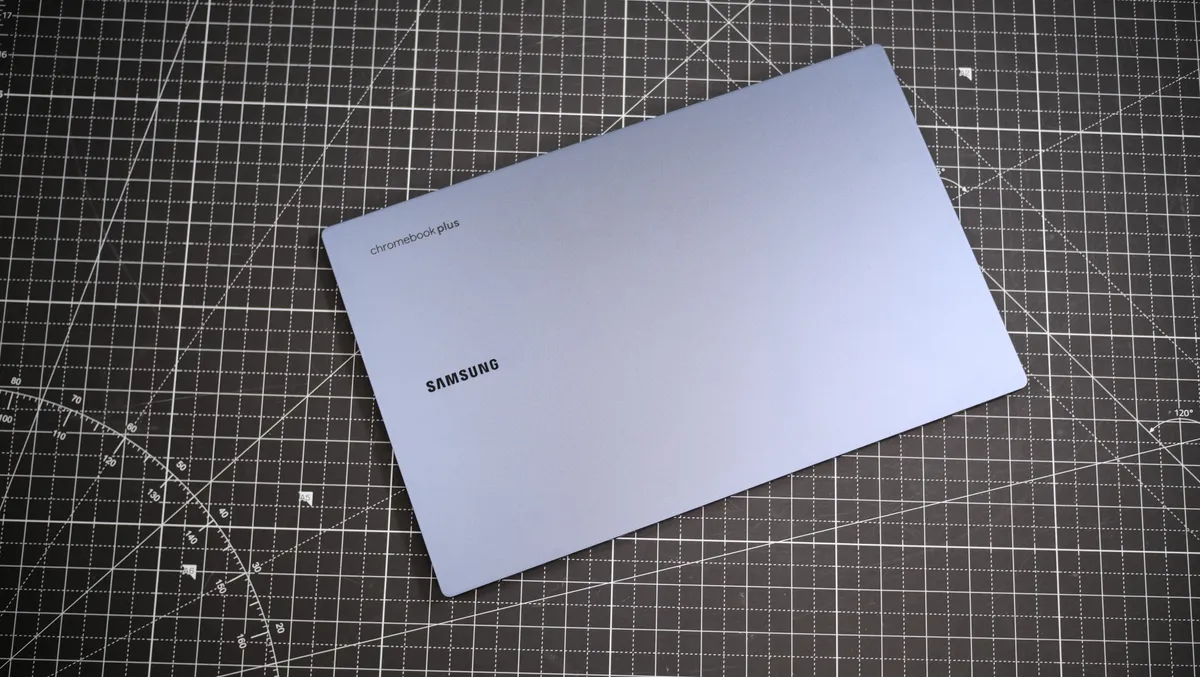


The Samsung Galaxy Chromebook Plus is a premium Chromebook with a solid combination of power, battery efficiency, and it comes with a large AMOLED display.
✔️You need a Chromebook that can last for more than a full day of work or school: The Samsung Galaxy Chromebook Plus lasted for 11 hours and 30 minutes on our battery test, making it the longest-lasting Chromebook on this list. So if you need a Chromebook that can last a full day on a single charge, this is the one to choose.
✔️You want to get the best Google AI experience possible: The Samsung Galaxy Chromebook Plus is the first Chromebook to feature Google's new keyboard layout with the Quick Insert button. While all Chromebooks can use the Quick Insert feature, only the Galaxy Chromebook has a dedicated button.
✖️ You need a budget Chromebook: While the Galaxy Chromebook Plus retails for $649, which is far from the most expensive on this list if you need to stay within a small budget, there are definitely better bargains to make.
✖️ You need a super portable Chromebook: The Galaxy Chromebook Plus is very light and very thin, but it can be a struggle to fit this 15.6-inch laptop into every bag. The Lenovo Chromebook Duet 11 Gen 9 may be the better choice if portability is your biggest concern.
The Samsung Galaxy Chromebook Plus is a premium Chromebook Plus built with Google's Gemini AI in mind. With an Intel Core 3 100U 14th gen processor, Intel integrated graphics, 8GB of memory, 256GB of SSD storage, and a 15.6-inch FHD AMOLED display, the Galaxy Chromebook Plus has plenty to recommend.
James Pero writes in our review, "While Samsung's Galaxy Chromebook Plus isn't the first premium Chromebook, it's probably the best."
While not the most powerful Chromebook ever, the Galaxy Book still has enough computing power to get the most out of the ChromeOS suite and Google Gemini AI. The Intel Core 3 100U CPU on the Galaxy Book can get more raw CPU power than most Chrome apps will ever need.
The gorgeous 15.6-inch AMOLED display is another high point for the Galaxy Chromebook. Measuring 108.5% on the DCI-P3 color gamut, the Galaxy Chromebook has a nicer display than some premium Windows laptops. With 377 nits of average peak brightness, you don't have to worry about screen glare on the glossy AMOLED panel, either.
The Galaxy Chromebook Plus also offers full-day battery life, lasting 11 hours and 12 minutes on the Laptop Mag web surfing battery test.
While $699 is a bit pricey for a Chromebook, the Galaxy Chromebook Plus earns its premium rating thanks to an unbeatable combination of performance, battery life, display quality, and portability.
See our full Samsung Galaxy Chromebook Plus review.
Best for students


The Acer Chromebook Spin 312 offers a better display, trackpad, and battery life than most Chromebooks — some budget Windows laptops, too — for under $500 in an awesomely portable form factor.
✔️ You need a simple laptop for simple tasks. If your studies solely consist of reading and writing (and saving everything in the cloud), there’s no reason to spend more money on a laptop whether or not you’re on a budget.
✔️ You prefer writing instead of typing notes. As long as you have a compatible stylus, this 2-in-1 touchscreen Chromebook can be both your laptop and notebook.
✖️ You need a larger screen. If you’re concerned about your eyesight or regularly use the magnifying tool, this Chromebook's 12.2-inch display might not serve you well in the long-run.
✖️ The majority of your classwork is writing essays. This Chromebook's plastic keys feel thinner and feel softer to press compared to competing devices.
The Acer Chromebook Spin 312 is a stand-out example of how much Chromebooks have improved in the last several years. From its design and portability to over 10 hours of battery life, it might be hard to believe this one costs just $450 — but it does, making this device one of the most well-rounded, budget-friendly Chromebooks for students.
With a silver colorway, a black keyboard, and a lightweight chassis, it also resembles a Windows laptop, but with a far better trackpad compared to most. It's the smoothest I’ve ever felt on a budget laptop. Its keyboard quality is slightly reminiscent of yesteryear's Chromebooks, with a clicky-squishy feel that highlights the thinness of the plastic keycaps. "It's a bit like gently pressing into Jello," as I wrote in my review, but it’s not the worst keyboard I’ve ever tried.
The IPS display produces vivid and clear images, likely due to its Corning Gorilla Glass coating, despite the low color gamut coverage Laptop Mag’s tests revealed. However, you'll definitely need to watch horror movies in the dark (as they are meant to be watched). The coating makes the IPS display more reflective than average, and the Spin 312’s max display brightness of 277 nits isn’t always enough to prevent bright ambient lighting from completely washing out dimly lit scenes.
For students who like or want to experiment with ChromeOS, its ample 128GB of storage space is enough to run Linux and then some. However, this laptop comes with only 8GB of RAM. That’s fine for a light workload (a dozen or fewer open browser tabs and one or two applications), but a minimum of 16GB is ideal for any laptop, especially if you are a heavy multitasker.
See our full Acer Chromebook Spin 312 review.
Best for kids


The Lenovo Chromebook Duet 11 Gen 9 is a light, affordable Chromebook with enough power and battery life to make it the ideal companion for keeping your kids entertained wherever they go.
✔️You want a light, affordable ChromeOS tablet: With the Folio case included in the base $359 price and solid performance, the Chromebook Duet 11 Gen 9 is a great option for kids.
✔️You need a tablet that can do more than just stream video: While Amazon's Fire Tablets make great options for kids' entertainment systems, sometimes they just don't have enough power. But the MediaTek Kompanio 838 processor in the Duet 11 has more than enough juice for almost everything.
✖️You need to multitask like a professional: While plenty of users can get away with just 4GB of memory on a ChromeOS tablet, if you're going to be using this for work you may run into some bottlenecks due to the low RAM allowance.
✖️You need a high-quality keyboard: While the included folio case is thin and light, the attached keyboard is mushy and soft, making for an unsatisfying typing experience. If you'll spend most of your time with a Chromebook typing, we recommend the Acer Chromebook Plus Spin 714 instead.
The Lenovo Chromebook Duet 11 Gen 9 offers high portability, solid battery life, slick stylus controls, an ultralight chassis, high-quality 5MP and 8MP cameras, and dependable performance all at an incredibly affordable price point. The Chromebook Duet 11 features a MediaTek Kompanio 838 processor, 4GB of memory, 128GB of SSD storage, and a 10.9-inch WUXGA (1920 x 1200) IPS touchscreen display.
"Chromebooks haven’t ever been my favorite laptops or tablets, as I’m exactly the type of person who needs the full application support of a Windows or macOS system. However, the Lenovo Chromebook Duet 11 Gen 9 may have changed my mind," Madeline Ricchiuto wrote in her review.
Because it features a lower-spec, MediaTek Kompanio processor, the Chromebook Duet lags behind other Chromebooks on CPU performance. However, it's a well-optimized machine that can keep up with multiple Chrome apps running at once.
The Chromebook Duet 11 Gen 9 does have a quality display, covering 83% of the DCI-P3 color gamut. And the panel is bright, measuring 402 nits of average peak brightness.
The Duet 11 is a small tablet Chromebook, which makes its battery life even more impressive. The Duet 11 lasted 9 hours and 48 minutes on the Laptop Mag web surfing battery test.
Because of its affordable $359 starting price and solid touchscreen controls, the Chromebook Duet 11 Gen 9 is a fantastic option if you need a tablet for your kids. It offers enough performance to run multiple applications and has the battery life to keep up with a busy schedule of school and playtime.
See our full Lenovo Chromebook Duet 11 Gen 9 review.
Best keyboard


The Acer Chromebook Plus Spin 714 is an AI-powered Chromebook with solid performance and a bright, colorful display. But the typing experience on the Spin 714 is what truly blew us away.
✔️You want one of the most powerful Chromebooks for better AI performance. To get the most out of Google's One AI plan, the Spin 714 has a powerful Intel Core Ultra 5 processor under the hood and won't slow you down while using Gemini for text or image generation.
✔️You need a Chromebook with a great keyboard. Not all Chromebooks have good keyboards. Many have soft, mushy key activations that just feel bad under your fingers. But the Chromebook Plus Spin 714 has a crisp, satisfying key feel.
✖️You need to stay under a tight budget. While Chromebooks are generally cheaper than Windows or Mac laptops, the Chromebook Plus series can get a little pricey. When not on sale, the Acer Chromebook Plus Spin 714 starts at $749, which can be pricey for a Chromebook.
✖️ You want a Chromebook designed for gaming. While it is part of the Chromebook Plus platform, the Spin 714 isn't optimized for Cloud gaming and suffers in comparison to the Acer Chromebook 516 GE, which was built with Nvidia GeForce Now in mind.
The Acer Chromebook Plus Spin 714 is one of the more powerful Chromebooks on this list, featuring an Intel Core Ultra 5 115U processor, 8GB of memory, a 256GB SSD, and a 14-inch WUXGA (1,920 x 1,200) IPS display. However, the true star of this laptop is the keyboard, with a satisfying and smooth typing experience.
Stevie Bonifield noted in our review, "The Acer Chromebook Plus Spin 714 keyboard is very satisfying to type on, but it has its quirks... The typing experience on the Spin 714 is smooth and comfortable. On the Monkeytype typing test, I scored 92 wpm with 97 percent accuracy, higher than my desktop average of 84 wpm and 94.35 accuracy."
The Intel Core Ultra 5 115U processor on the Spin 714 offers strong performance, making the Spin 714 one of the most powerful Chromebooks. The 14-inch IPS display is also on the nicer side, measuring 78.7% for DCI-P3 color gamut coverage with an average peak brightness of 355 nits.
The Spin 714 is no slouch for longevity either, offering all-day battery life. The Acer Chromebook Plus Spin 714 lasted 9 hours and 30 minutes on the Laptop Mag web surfing battery test.
Combined with the slick display and satisfying keyboard, the Spin 714 is nearly the whole package.
See our full Acer Chromebook Plus Spin 714 review.
Best for gaming
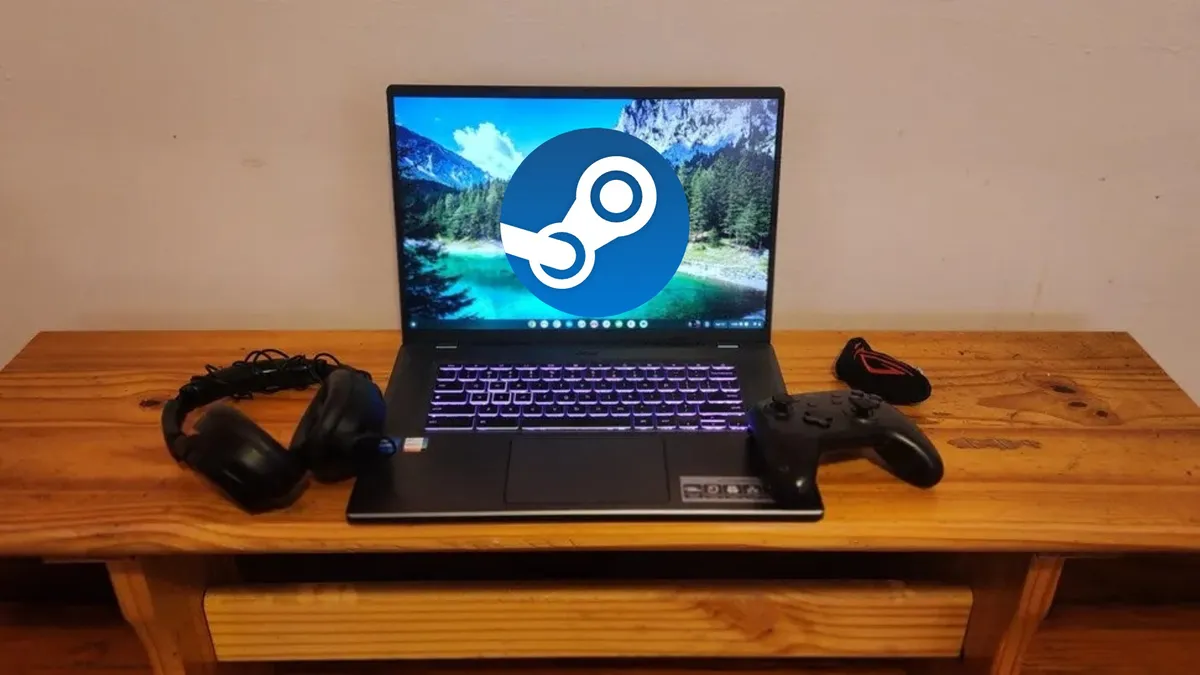


The Acer Chromebook 516 GE remains the only Chromebook dedicated to gaming enthusiasts, with RGB lighting on the keyboard and a sleek black Gaming laptop-style chassis with additional ports. If you want to game on any Chromebook, this is your best bet.
✔️ You want the best gaming experience on a Chromebook. The Acer Chromebook 516 GE comes with more ports than you'll usually see on a Chromebook, so you can attach all of your gaming accessories and also opt for a hard-wired Ethernet connection so your game stream doesn't drop due to Wi-Fi shenanigans. You can run Nvidia GeForce Now on any Chromebook, but the 516 GE has all the additional bells and whistles to make it the best choice for gaming.
✔️You want a gaming laptop, but can't afford the steep price tag. While a dedicated gaming laptop with a discrete GPU will always have better gaming performance than a Chromebook streaming Nvidia GeForce Now, you can get a close approximation with the Acer Chromebook 516 GE without spending gaming-laptop money.
✖️ You need battery life that will last for a full, intense day. If you need a Chromebook with more than 7 and a half hours of battery life for pulling an all-nighter, the Chromebook 516 GE is not the ideal option. The Samsung Galaxy Chromebook Plus offers a better balance of performance, battery life, and CPU power.
✖️You want to play games from the Google Play Store. the Acer Chromebook 516 GE doesn't have a touchscreen, so playing games from the Google Play Store can be difficult. This is particularly true of games that don't have gamepad support.
Gamers might scoff at Chromebooks, but for cloud gaming services like GeForce Now, the Acer Chromebook 516 GE can offer decent gaming performance and gaming style at a much lower price than your average gaming laptop.
The Acer Chromebook 516 GE features a powerful Intel Core i5-1240P processor, Intel Iris Xe graphics, 8GB of RAM, a 256GB SSD, and a 16-inch 120Hz WQXGA (2560 x 1600) IPS display. So it can handle gaming and schoolwork without blowing your budget.
With an Intel Core i5 12th gen processor, the Chromebook 516 GE offers plenty of powerful performance to handle your day-to-day needs. Even with 8GB of RAM, "You shouldn’t find yourself dealing with any frustrating slowdowns — even if you drown it in tabs," as Kimberly Gedeon wrote in our review. But if you can afford to upgrade to the 16GB model, we recommend it.
The Chromebook 516 GE's 16-inch display is a solid choice, and measures 75.8% of the DCI-P3 color gamut, which is better than some Chromebooks on this list. It also hits a respectable 346 nits of average peak brightness to cut through glare so you don't need to worry about missing a shot in your next FPS match due to screen glare.
The one drawback to this gaming Chromebook is its battery life, as the Chromebook 516 GE lasted just 7 hours and 40 minutes on the Laptop Mag battery test.
While you can technically use cloud gaming services on any laptop or Chromebook, the Acer Chromebook 516 GE offers a 120Hz display for those who pay for the most expensive GeForce Now membership tier. So, it remains our best choice for gaming on a Chromebook.
Read our Acer Chromebook 516 GE review.
Benchmark comparisons
Click to view chart data in table format
| Header Cell - Column 0 | Samsung Galaxy Chromebook Plus |
Acer Chromebook Spin 312 |
Lenovo Chromebook Duet 11 Gen 9 |
Acer Chromebook Spin 714 |
Acer Chromebook 516 GE |
|---|---|---|---|---|---|
Geekbench 6 (Higher is better) |
6015 |
4477 |
2323 |
6335 |
NA |
Jetstream 2 (Higher is better) |
268.4 |
215.0 |
114.3 |
250.2 |
253.5 |
CrXPRT 2 (Higher is better) |
167 |
140.0 |
106 |
160 |
185 |
Battery life - Web surfing (HH:MM) |
11:12 |
10:33 |
09:48 |
09:30 |
07:40 |
DCI-P3 Color Gamut (Higher is better) |
109% |
55% |
83% |
79% |
76% |
Display Brightness (Nits, higher is better) |
377 |
277 |
402 |
355 |
346 |
Hottest temperature (95 degree comfort threshold) |
84.5 |
91.5 |
88 |
90.5 |
92.1 |
Recent reviews
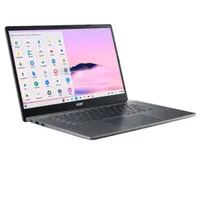
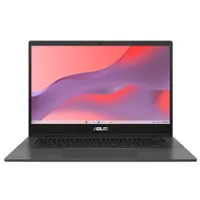
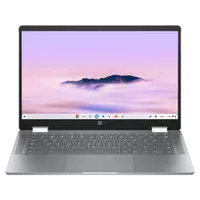
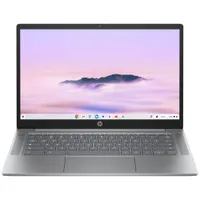
We review dozens of laptops and Chromebooks annually, and while some simply don't have what it takes to make our buying guides, they're still strong options that came up short for one reason or another. Here are some of our most recently reviewed laptops that didn't make the cut for "Best Chromebooks", but could still be solid machines.
How to choose the best Chromebook for you
Finding the perfect Chromebook isn't a one-size-fits-all situation. Students, businesses, and schools all have different needs.
Students
For students who rely heavily on Google Docs, Sheets, and Slides, prioritizing a Chromebook with a long-lasting battery and a comfortable keyboard is crucial.
If you're a student who wants a gaming laptop that can also function as a great laptop for class (without spending a ton of money) there Chromebooks specfically designed for gaming in the cloud.
Professionals or businesses
Professionals or businesses seeking Chromebooks for their employees should focus on models with strong performance and features that make managing them easier, ensuring a smooth workflow.
Security is also important — Enterprise-edition Chromebooks have extra IT deployment features like real-time threat and data protection, endpoint security, and support integration with 3rd-party software like CrowdStrike.
Schools
If you're a school looking to equip students with Chromebooks, durability, affordability, and features that support a dynamic classroom environment should be top priorities.
You won't have to buy a bunch of expensive, business-focused Chromebooks to get the security you need, either. Education Chromebooks also support many of the same security features as business Chromebooks (via Google Workspace for Education), and won't display ads in core services like Drive, Classroom and Gmail.
FAQs
Q: Who are Chromebooks for?
A: Overall, the best way to tell if someone will enjoy owning a Chromebook is if you know they already spend most of their time in the Chrome browser. Those users will take to the notebook naturally.
If you're buying this Chromebook for someone else, you should take a few moments to consider how they're going to use the device. Chromebooks are especially good for younger students, as they are easy to use and are fairly secure. It's also quite easy to update your Chromebook manually, assuming you don't want to enable automatic updates.
Q: How well does a Chromebook perform?
A: Chromebooks are lightweight devices, meaning it doesn't take a lot of CPU performance to run ChromeOS. So, Chromebooks often feature lower-spec processors. Many perform better at lower specs than low-budget Windows laptops, too.
They also generally have less storage space, since many ChromeOS applications run in the cloud. This means more free space for your laptop and speedier performance.
If you don't need the full Windows or macOS experience to run all your favorite applications, there's no reason not to opt for a Chromebook.
Q: How are Chromebooks for offline use?
A: Chromebooks are designed to rely heavily on the Internet, which means that many apps simply won't work if you're out of Wi-Fi range. But there are more than 200 Chrome apps that can work without internet connectivity, including Gmail, Google Drive, and tons of Android apps like PlayerFM and Here WeGo.
Q: Can I use Android apps?
A: Yes! Most modern Chromebooks now have access to the Play Store. (If you're unsure if your Chromebook supports Android apps, check out this list.)
However, there are some caveats: many Android apps run via an emulator and may or may not run well. Also, not all apps are optimized for a larger screen (they were built for mobile-first), so you might encounter some scaling issues, especially with mobile games. (Check out our guide to the best Chromebook games for specific gaming app recommendations.)
There are often formatting issues when importing third-party documents into Drive, too. Fortunately, Google Drive allows you to save documents in Microsoft formats, so you'll still be able to share files with non-Chromebook users through Microsoft Word or other programs — though it may be best to stick with the Office Android apps or Office Online if you're bringing a lot of files over to your Chromebook.
Q: Do Chromebooks have good battery life?
A: Chromebooks are known for their impressive battery life. Our in-house Laptop Mag web surfing battery test shows that most Chromebooks can last an average of 10 hours on a single charge. This means you can comfortably power through a workday or school day without hunting for an outlet. This makes Chromebooks a great choice for those long stretches in class or meetings.
Q: Are Chromebooks secure?
A: Chromebooks are a great fit for businesses and institutions prioritizing security because their design makes them more resistant to malware, offering built-in protection for employees and students. Some Chromebooks go the extra mile with biometric authentication features like fingerprint scanners, adding another layer of security for sensitive data.
For businesses, the added security and IT deployment features of Chrome Enterprise can make Chromebooks a solid choice for kitting out an office. While enhanced features do require a subscription, Chrome Enterprise is available for free, which can make it a good solution for small businesses.
Q: Can you game on a Chromebook?
A: Chromebooks have access to Steam and can stream games from services like Nvidia GeForce Now. ChromeOS also works with some Android apps, but not every Android game will be available on a Chromebook. But for a game streaming device, Chromebooks work well as an affordable gaming option.
If you want to game without signing up for a streaming service, you may be better off with a gaming handheld or a dedicated gaming laptop.
Q: Are Chromebooks durable?
A: Similar to business notebooks made to survive drops and other minor disasters, Chromebooks are built to withstand falls, scrapes, and similar punishment.
We put the durability of top Chromebooks to the test by dropping 11 different models from heights of 2.5 feet and 4 feet, then scoring them on a scale of 0 to 10 based on how much damage was sustained. You can read our full report here.
How we test the best Chromebooks

We benchmark Chromebooks as thoroughly as we do any laptop, using synthetic and real-world benchmarks before they end up in the hands of our reviewers. We evaluate each aspect of the Chromebook, including its performance, battery life, display, speakers, keyboard, and heat management.
We rely on tests like Geekbench 6, JetStream 2, WebXPRT 4, and CrXPRT 2 to determine a Chromebook's CPU and web performance. We also test Chromebook displays using a Klein K10-A colorimeter to detect the brightness and DCI-P3 color gamut coverage.
We test heat management by playing a 15-minute full-screen video and measuring temperatures in different areas of the laptop. Last but not least, our battery test consists of continuous web surfing over Wi-Fi at 150 nits of brightness. For premium MacBooks and Windows 11 laptops, a runtime of over 10 hours is considered a good result whereas dedicated workstations that can stay powered for longer than 5 hours deserve praise.
For more information on our testing process, check out our How We Test Laptops page for all the nitty-gritty details.
Why Trust Laptop Mag
Laptop Mag reviews over one hundred different laptops every year, from paperweight ultralights to everyday workhorses to lumbering gaming notebooks that scorch the frame rates of even the hottest AAA games. We're not just experts in the laptop field, as we go one step further by meticulously testing smartphones, tablets, headphones, PC accessories, software, and even the latest in gaming.
We are 100% independent and have decades of experience to help you buy with confidence. In fact, Laptop Mag has been testing and reviewing products for three decades, and we continue to deliver trustworthy reviews you can rely on.
Our experienced team of writers and editors scour the available information about the laptop and put it through its paces to determine which is best for you. But before they start, the testing team subjects each system to a rigorous regimen of synthetic and real-world tests to see how a system handles the type of work and games you’re most likely to throw at it.
Our editorial trustworthiness is enforced by one of the world's largest technology publishers, Future Publishing. As a company, we have unrivaled experience across every tech sector — and we're the group's specialist for all things mobile tech.
