1. The list in brief
2. Best overall
3. Best budget
4. Best touchscreen
5. Best gaming
6. Best Windows laptop
7. Best workstation
8. Benchmark comparisons
9. Recently reviewed
10. How to choose the best video editing laptop
11. FAQs
12. How we test laptops13. Why trust Laptop Mag
The best video editing laptops have at least two of the three must-have features: performance, battery life, and a bright and vivid display. These are important for any of the best laptops, but even more so for visual creatives. These are also often some of the best laptops for college, especially for majors working in media.
The better your laptop's performance, the less time you'll have to wait for it to finish transcoding a video file or render a 3D animation. Video editing laptops without discrete graphics cards are usually cheaper than those with them, which means they rely on their processor to do all those things.
Having enough RAM is especially important in this case. 16GB sounds like it could be enough until you try pre-rendering footage in the background while you're editing and cause the whole program to freeze. (I learned this the hard way.)
Display color and accuracy are also important for video editing. This is why Laptop Mag measures the DCI-P3 gamut coverage of every laptop we test. DCI-P3 is the color space used in professional digital cinema, capturing about 25% more color variations than the standard SRGB. As a general guideline, the best laptops for video editing should cover at least 85% of the DCI-P3 color gamut.
This page is regularly updated with our latest reviews to reflect Laptop Mag’s top picks for 2025.
Click to view recent updates to this page.
Update log
5/23/25: Changed top pick for the best gaming laptop for video editing to the HP Omen Max 16; updated "recently reviewed," "FAQs," and "benchmark comparisons" sections.
Quick Menu

Best overall
Fantastic performance combined a vibrant and bright display, and ridiculously good battery life, makes this laptop our top choice for video editors.

Best budget
Great performance and battery life in a smaller, more affordable MacBook package.

Best touchscreen
For the video editor who demands a touchscreen, this versatile laptop offers a wonderful combination of performance, battery life, and a color-accurate display with a incredibly wide color gamut — all in a teeny, tiny chassis.

Best gaming
If you're looking for a video editing laptop that can also serve as a gaming PC (or desktop replacement), this one offers stellar performance and an OLED display that could make a kaleidoscope jealous.

Best Windows laptop
The rendering performance of a discrete graphics card at a sub-MacBook Pro price, powered by an AMD Ryzen AI 9 HX 370 processor, an Nvidia RTX 4070 — loaded with RAM and storage space.

Best workstation
With a discrete graphics card specfically designed for professional video editors — and an amazing 17 hours of battery life — this workstation is a gem of a laptop.

Joanna Nelius has reviewed laptops and computer hardware since 2018, testing everything from processor and graphics performance to storage speed and keyboard quality. She works as a creative writing instructor and sometimes creates educational gameplay videos to show her students. Her work has appeared in The Verge, USA Today, Gizmodo, PC Gamer, and Maximum PC.
Best overall


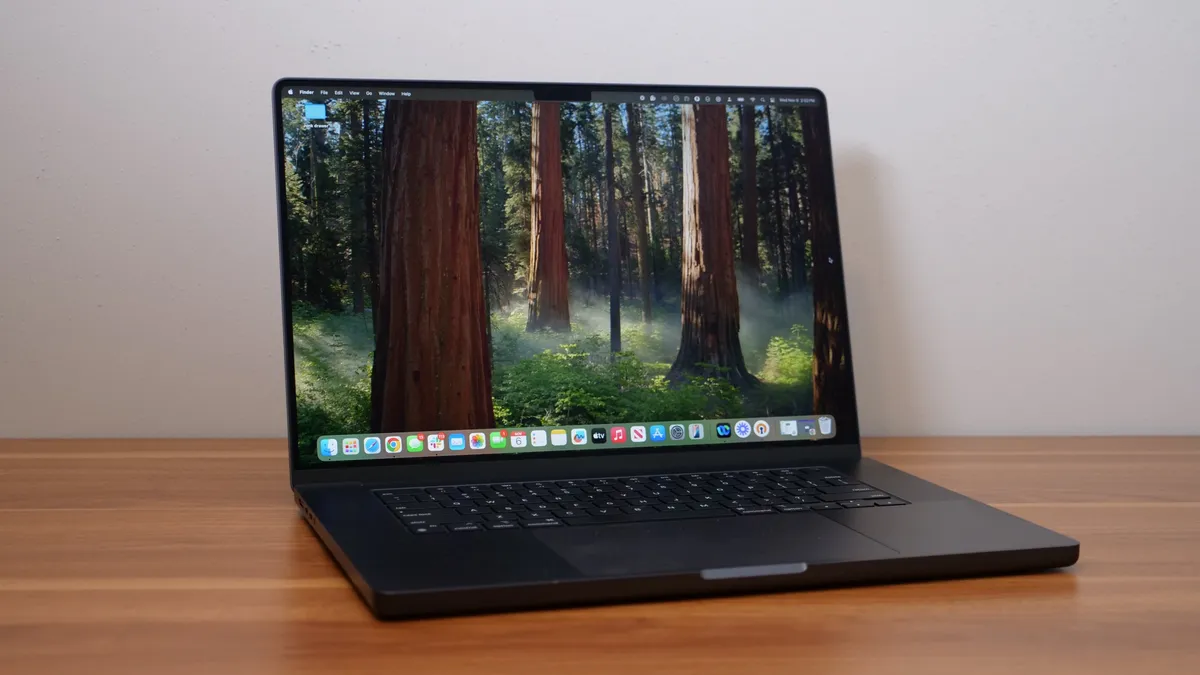
The Apple MacBook Pro 16 M4 Pro is an improvement over the M3 Max, our previous best overall pick, in nearly every way — at a less expensive price.
✔️ You skipped the M3 MacBook generation. The performance increase alone will feel like you're in a roller coaster shooting out of a loading bay.
✔️ You want discrete GPU power without the separate card. And to spare yourself the usual noise and heat that comes with those kinds of video editing laptops.
✖️ You already have an M3 Max. It's not worth spending thousands of dollars on a new laptop for a minor performance or battery life increase.
✖️ You don't need all the power it offers. Again, not worth spending thousands of dollars on a MacBook Pro if you occasionally edit videos.
If you're a professional video editor in need of a new laptop that can breeze through heavy video and 3D rendering workloads, we recommend the newest 16-inch Apple MacBook Pro with an M4 Pro processor.
Laptop Mag's managing editor, Sean Riley, describes it best in his review: "It's almost simultaneously the most powerful premium laptop we've reviewed while also offering the second-longest battery of any laptop we've tested." Our benchmark numbers mostly speak for themselves.
With 20 hours and 46 minutes of battery life, it lasts 7 hours longer than the average premium laptop and its main competitors, the Lenovo Yoga Pro 9i 16 Gen 9 and Asus ProArt PX16 (2024), between 10 and 11 hours, respectively. It also outlasts the MacBook Pro M3 Max by nearly 3 hours.
It outshines them all in the Geekbench 6 multicore benchmark, scoring 22,822. That's 47% faster than the Yoga Pro (12,141), 32% faster than the ProArt PX16 (15,286), and over 100% more than the average premium laptop (10,492). Compared to the M3 Max (21,182), that's an 8% speed increase; remember that the 16-inch Max configurations start at $3,499.
If you happen to be upgrading from an M2 Max, you might need help picking your jaw up off the floor: the M4 Pro was 45% faster in Laptop Mag's tests by comparison. My fiancé recently traded in his M2 Max for an M4 Pro, and while he didn't convey his excitement in words he did make happy grunting noises.
Everything else about this MacBook Pro is just as good or better than previous generations. It's still expensive, but it's our best overall pick for a reason.
See our full Apple MacBook Pro 16 M4 Pro review.
Best budget


The Apple MacBook Air 15 M4 is thin, light, powerful, and has a long-lasting battery. It has nearly everything a video editor (or student) on a budget needs in a laptop.
✔️ You're looking to cut costs. Without sacrificing too much performance, battery life, or other things that make a Mac laptop great.
✔️ You want an easy-to-carry laptop. This one weighs just over 3 pounds and is under a half-inch thick. Check and check!
✖️ You don't want to spend a lot of money on upgrades. Apple dropped the starting price of the Air M4, but adding more RAM or increasing the storage size is still as expensive as ever.
✖️ You need larger or more colorful display. The Air's color accuracy isn't as good as its Pro sibling, and if you know you want a 16-inch screen, its 15.3-inch display might be too small for your work.
15-inch laptops are increasingly rare these days, but as Laptop Mag managing editor Sean Riley writes in his review, the new Apple MacBook Air 15 M4 "deserves to be in the conversation." He gave it 4.5 stars for a good reason! It offers many of the same benefits for video editors as the pricier Pro M4, and its performance and battery life are still unparalleled compared to many of its budget competitors.
Its CPU multicore performance is nearly 38% faster than the 15-inch Air M3, according to our testing. In our real-world video transcoding test, the Air M4 converted a 4K video to 1080p in just under 5 minutes — 2 minutes faster than the Air M3.
The Air M4's display isn't the most vibrant or color-accurate screen you can get, but it covers a larger portion of the DCI-P3 color gamut compared to last year's Air M3 (83.5% versus 77.8%). For video editors on a budget who want the largest laptop display possible, that's less of a compromise between the Air M4 and 14-inch M4 Pro — and you still get Apple's True Tone technology, which adjusts how colors are displayed depending on the lighting.
It's max brightness is 476 nits, just like last year's model, and it's battery still lasts 15 hours, too. The Air M4's other features have mostly stayed the same or improved, which is especially great considering Apple dropped the 15-inch Air M4's starting price by $100.
If you currently have an Air M2, you're in the best position to get the most out of your money by upgrading.
See our full Apple MacBook Air 15 M4 review.
Best touchscreen
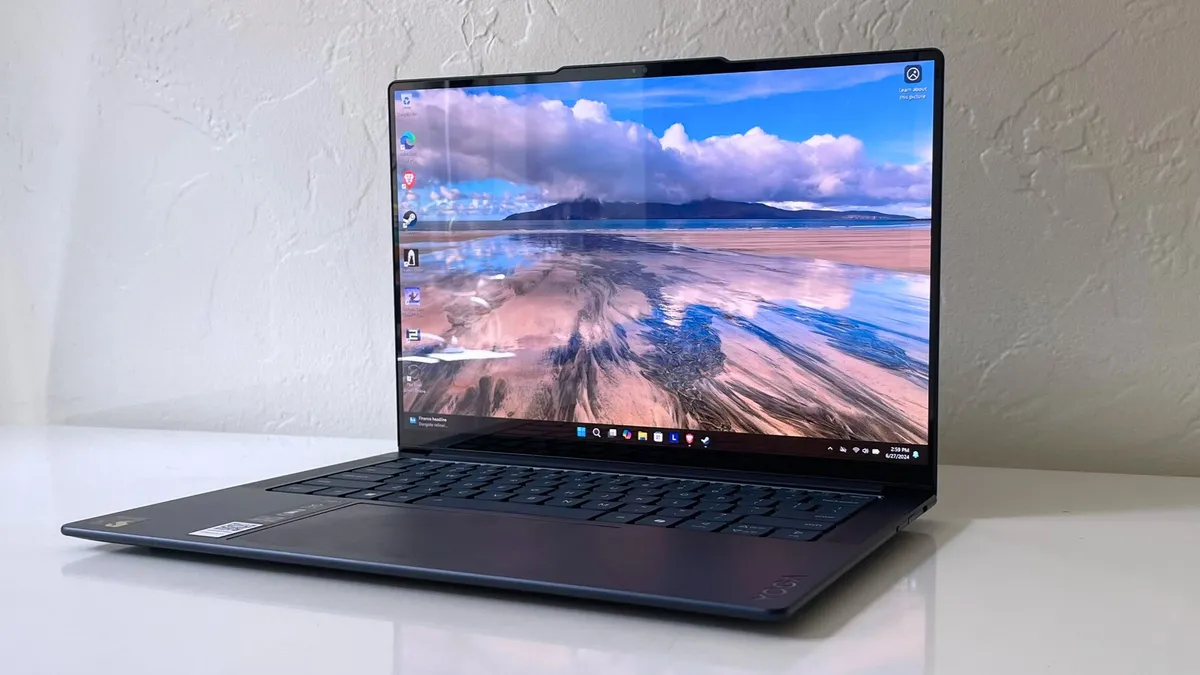


The Lenovo Yoga Slim 7x's bright, OLED display covers an overly generous portion of the DCI-P3 color gamut. It also gets fantastic performance and battery life, yet stays cool to the touch.
✔️ You want the full package in a slim package. This laptop delivers a stellar all-around experience — performance, battery life, an incredible OLED display — in a tiny 2.8-pound, 0.51 inches-thick chassis.
✔️ You are on a budget. The Yoga Slim 7x offers the main features of a great video editing laptop without the high price.
✖️ Windows on ARM doesn't support your editing software. While this is less of an issue now than when this laptop was first released, it's still best to check for native ARM64 versions or that the x86 version can run fine via emulation.
✖️ You need more storage space, and you're not interested in buying an external drive. This laptop's SSD capacity is smaller than we recommend (even for hobbyists), and maxes out at 1TB.
For a touchscreen laptop, the Lenovo Yoga Slim 7x has all the makings of a great video editing machine. Laptop Mag's reviewer, Stevie Bonifield, writes that it "balances price and performance with a stylish design and strong battery life," on top of a sharp OLED display that produces vivid colors and inky blacks.
This laptop's DCI-P3 color gamut coverage is one of the widest Laptop Mag has seen in the last year: 155%. The display also gets bright, hitting a max of 464 nits in SDR and 785 nits in HDR. 431 nits is also the average SDR brightness for a premium laptop, so the Yoga Slim 7x is right on the money here.
It's essential for any creativity laptop to have fast multicore performance, as many creativity programs make full use of all the CPU's cores simultaneously. The Yoga Slim 7x has speed in spades. With a Snapdragon X Elite processor, it cranked out a benchmark score of 13,750 in Geekbench 6, making it faster than many similar-priced laptops.
That doesn't directly translate to some real-world video workloads, however, the Yoga Slim 7x was still able to transcode a 4K video to 1080p in just over 5 minutes. That's still faster than what Laptop Mag has seen from some competing laptops with an Intel Core Ultra 7 155H.
The Yoga Slim 7x has two potential downsides as a video editing laptop: app compatibility and its reflective OLED display. You might need to max out the display brightness to get rid of any lighting glare (which, of course, will shorten the battery life; the brighter the display, the more power it needs).
Also, make sure your favorite editing app has a native ARM64 version since this laptop runs Windows on ARM. For most people, this shouldn't be an issue as popular programs like Premiere Pro, After Effects, Blender, and DaVinci Resolve are compatible. But it's always good to double-check!
See our full Lenovo Yoga Slim 7x review.
Best gaming


The HP Omen Max 16's OLED display makes its competitors' look drab by comparison. Its thermal management is also excellent, keeping the chassis 10-20 degrees cooler than the competition — even while gaming.
✔️ You want one of the best OLED displays. Inspired by Wes Anderson's color pallets, or Blade Runner 2045's enticing neon? This OLED panel is one of the most vibrant we've ever tested — gaming laptop or not — for video editors.
✔️ Overall performance is non-negotiable. It surpassed its main competitors when we tested its multicore performance. Its gaming and video processing power are nothing to huff at, either.
✖️ You need long battery life. Gaming laptops this powerful usually have short battery lives, and the Omen Max 16 is no exception. A maximum runtime of just over 3 hours puts this laptop squarely in the "desktop replacement" category.
✖️ You're on a budget. The top-of-the-line model we reviewed costs an exorbitant $4,299. If you're mainly after the OLED display, a base model with an Intel Core Ultra 7 and RTX 5070 Ti will save you thousands of dollars.
Strong all-round performance, a splashy OLED display, and keys that are responsive and satisfying to press can make most gaming laptops enticing options for video editors. The HP Omen Max 16 has a tantalizing combination of all three, and it handles heat way better than many of the best gaming laptops.
Most gaming laptops crank up the frame rates at the expense of pushing surface temps past our 95-degree comfort threshold, but the Omen Max 16 stays 10-20 degrees cooler by comparison whether its being used for gaming or streaming videos.
It's not the fastest gaming laptop by frame rates alone, but it generated almost or just as many frames as its competitors. As our tests showed, the Omen Max 16 handles games like Far Cry 6 and Shadow of the Tomb Raider better than some rival gaming laptops, but performed worse with games like Cyberpunk 2077 and Black Myth: Wukong.
That give-and-take performance showed up in our Handbrake test, too. This laptop took 2 minutes and 54 seconds to transcode a 4K video to 1080p, which is fast compared to a lot of other gaming laptops we've tested — but still about 20-35 seconds slower than its fiercest rivals.
But when it comes to many video editors' need for color, contrast, and clarity, we have yet to test another gaming laptop that can hold a diode to the Omen's OLED display.
Laptop Mag editor, Rami Tabari, said he couldn't remember the last time he's seen a display this "drop-dead gorgeous" after reviewing the Omen Max 16. It's a "fever dream of colors and infinite contrast," decimating its competition with a DCI-P3 color gamut coverage of 141.4%. Compared to the other laptops on this list, it only falls behind the Lenovo Yoga Slim 7x — and that's not even a gaming laptop! Though with a max brightness of 363 nits, dimly lit scenes can be easily washed out by strong ambient lighting (a common issue for OLED displays).
See our full HP Omen Max 16 review.
Best Windows laptop


The Asus ProArt P16 offers nearly everything you'd expect out of a MacBook Pro — for a lot less.
✔️ You want a discrete GPU. Between multitasking, rendering, transcoding, and everything else you needed done yesterday, this laptop's graphics card will help speed up your workflow.
✔️ You work with a wide color spectrum. This laptop covers a large portion of the DCI-P3 color gamut, making is a good choice for video editors.
✖️ The apps you need are only on macOS. Used to working in Final Cut Pro? Sorry, there isn't Windows version for that.
✖️ Long battery life is a necessity. With under 10 hours of battery life, this one major area where the Asus ProArt P16 falls behind many of its competitors.
For the video editor loyal to Windows, "The Asus ProArt P16 is a stellar example of what a creator laptop should be: powerful, reliable, and stylish," as our reviewer Stevie Bonifield writes. You don't have to pay MacBook Pro prices to get superb performance in a thin and light chassis with a beautiful design that's just as easy on your eyes as it is on your wallet.
While I'd normally recommend a laptop with a wider color gamut for video editors, the ProArt P16 covers a high enough percentage of the DCI-P3 (85.5%). But if you're looking at this laptop for graphic design, that should be less of a concern since you're likely working with the AdobeRGB or sRGB color gamut.
Just as important as color accuracy is performance; this laptop's AMD Ryzen AI 9 HX 370 processor, 32GB of RAM, and Nvidia RTX 4070 graphics card powers it to a Geekbench 6 multicore score of 15,286, way beyond the average premium laptop. Commonly used graphic design programs like Adobe Illustrator load in a snap, and the ProArt P16 has the right amount of RAM and CPU cores to prevent the system from getting too bogged down with all the processes Photoshop runs in the background.
That stellar performance played out in Laptop Mag's Handbrake benchmark, transcoding a 4K video to 1080p in 3 minutes and 15 seconds, much faster than the average premium laptop (7:58).
Its battery life is a letdown, though. Expect up to 9 hours and 32 minutes if you use this laptop for web browsing, with the display brightness set to 150 nits. If you're manipulating images with dozens of vector masks at full brightness (356 nits), the battery will drain much faster. Just something to be mindful of if your workspace doesn't have a nearby outlet.
See our full Asus ProArt P16 review.
Best workstation


The Lenovo ThinkPad P1 Gen 7 boasts an Ada Generation Nvidia RTX 1000 processor for professionals looking for stability and reliability. That along with long battery life in a portable design, you might forget this is a workstation instead of an average laptop.
✔️ Your setup has a lot of accessories. This laptop has ports-a-plenty for that: USB Type-A, USB Type-C, HDMI, an SD card reader, and 3.5mm audio.
✔️ You need long battery life. This laptop lasted over 17 hours in our web surfing battery test — and while that number will be less if you're running power-intensive tasks, it'll still get longer battery life than the average workstation.
✖️ You need a higher display resolution. You can upgrade this configuration with an optional 4K OLED panel, but that's adding on to the price tag of an already expensive laptop.
✖️ You need a more vibrant or brighter display. It covers an average portion of the DCI-P3 color gamut, and its peak brightness doesn't break 400 nits — both significantly less than some of it competitors.
For the video editor who is extra cautious about maintaining the integrity of their files' data, the Lenovo ThinkPad P1 Gen 7 is aimed directly at that kind of professional use. "While it may not be the most powerful workstation we’ve ever seen here at Laptop Mag," our staff writer Madeline Ricchiuto writes, it has enough "performance to handle photo and video editing, 3D rendering, or heavy data analysis you’d want out of a workstation machine." It isn't impractically expensive, either (at least when it's on sale).
With a Geekbench 6 multicore benchmark average of 12,974, it's outpaced by the Apple MacBook Pro 16 M4 Pro — and even some less expensive competitors like the Asus ProArt P16 (15,286, or 16%).
However, it did transcode a 4K video 1080p in a swift 4 minutes and 21 seconds in our Handbrake benchmark test, faster than some of its competitors. Keep in mind this laptop is designed for stable and reliable workloads — slower performance is the norm when you compare this kind of workstation to any laptop with a discrete gaming graphics card, like the ProArt P16.
I don't know about you, but I'd be willing to sacrifice a little performance for this ThinkPad's battery life: an outstanding 17 hours and 23 minutes. That's as long or longer than some productivity laptops and definitely much longer than the average workstation's 5 or 6 hours!
We do wish this laptop had a better display for its price. The $4,584 configuration we reviewed is outfitted with only a 1920 X 1200 IPS panel, covering just 78.6% of the DCI-P3 color gamut. Its max brightness is 386 nits — bright enough for an IPS display to ward off glare, though not the brightest out of all the laptops on this list.
See our full Lenovo ThinkPad P1 Gen 7 review.
Benchmark comparisons
Click to view chart data in table format
Apple MacBook Pro 16 M4 Pro |
Apple MacBook Air 15 M4 |
Lenovo Yoga Slim 7x |
HP Omen Max 16 |
Asus ProArt P16 |
Lenovo ThinkPad P1 Gen 7 |
|
Geekbench 6 (Higher is better) |
20,863 |
14,921 |
13,750 |
19,822 |
15,286 |
12,974 |
Handbrake time ((MM:SS), lower is better) |
18:05 |
04:57 |
5:16 |
2:54 |
3:15 |
4:22 |
Battery life - Web surfing (HH:MM) |
18:05 |
15:04 |
14:14 |
3:20 |
9:32 |
17:23 |
SSD transfer speeds (MBps, higher is better) |
NA |
NA |
NA |
1395 |
NA |
2071 |
BlackMagic Write (Higher is better, MBps) |
6640.5 |
3335.1 |
NA |
NA |
NA |
NA |
BlackMagic Read (Higher is better, MBps) |
5353.7 |
3012.5 |
NA |
NA |
NA |
NA |
DCI-P3 Color Gamut (Higher is better) |
81.4% |
83.5% |
155% |
141.4% |
85.5% |
78.6% |
Display Brightness (Nits, higher is better) |
565 |
476 |
464 |
363 |
356 |
386 |
Hottest temperature (95 degree comfort threshold) |
90.5 |
90.0 |
86 |
88.6 |
87.6 |
84.2 |
Recently reviewed
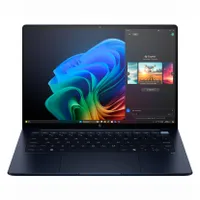
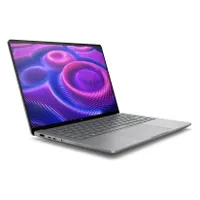
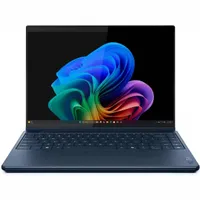
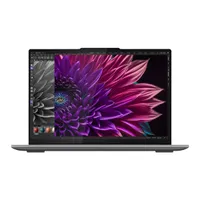
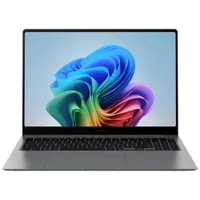
Not every laptop can make the best video editing laptops page. (We wouldn't be doing you that much good if that were the case!) We review new laptops every week and over 100 laptops yearly, so here's a look at our most recently reviewed laptops that didn't make this page either due to a fault, battery life, performance, or something else.
How to choose the best video editing laptop
The best video editing laptop for one person probably won't be the same as the next. Everyone has different budgets and different projects; editing short, ASMR videos in 1080p isn't the same as editing a full-length feature film in 4K. If you know what you want to do with a video editing laptop, that will help narrow down your choices.
Price
If you're a hobbyist, you can most likely get away with any laptop released in the last year or two for under $1,500. If you're a professional editor who needs a top-of-the-line laptop, it's even more important to have a budget in mind as these laptops can easily exceed $3,000. (We've seen them go as high as $8,000!)
Performance
In general, video editing leans heavily on the processor, so look for something with an Apple M3 Max or M4 (Pro or Max), AMD Ryzen AI 9, Intel Core Ultra, or Qualcomm Snapdragon X Elite chip. If you need to step back a generation for the sake of affordability, that's fine too, though it may increase how long it takes to render or transcode your videos.
Graphics
If you need speed, look for a video editing laptop with a discrete graphics card (usually an Nvidia GeForce RTX 40-series, RTX A-series, or RTX Ada Generation). A lot of intensive video-editing tasks can be processed by the GPU instead of the CPU, which can save you a lot of time.
RAM and Storage
But whether a hobbyist or professional, do not skimp on RAM! 16GB is the absolute floor for hobbyists and 24GB for professionals, though we recommend at least 32GB for the latter.
You'll also want enough storage space for all your videos and editing programs, at least 1TB to 2TB. Not all of the best video editing laptops are configurable with more than 2TB of storage space, though, and if they are their price usually goes up drastically; an external SSD is a great, cost-saving option to get around that. (Or if you're feeling spicy, build your own cloud storage.)
FAQs
Q: Are gaming laptops good for video editing?
A: Yes! Any laptop with a discrete graphics card lets you take advantage of Hardware Acceleration, a common feature in popular image and video editing programs. Instead of relying on the CPU and RAM to do all the work, Hardware Acceleration uses the GPU to perform the same tasks much faster.
Gaming laptops' GPUs also work with Nvidia Studio Drivers, which provide more stability and reliability for content creation. Workstations usually come with Nvidia's RTX A-series or Ada Generation graphics cards, which are designed specfically for professional workstations and have better data integrity and stability. (They're more expensive, too!)
Q: Do I need a GPU for video editing?
A: Not necessarily! You can do encoding, transcoding, and other common video editing tasks with just the processor and its integrated graphics. Qualcomm's Snapdragon X Elite chips are particularly great at this; they're built on ARM architecture, like Apple's M-series, which generally process tasks more efficiently.
Most of today's integrated graphics (Intel Arc, AMD Radeon, and Apple's M-series) are powerful enough to cut down on the time it takes to run all sorts of video editing-related tasks — not as much as a discrete GPU, but usually a couple of minutes. MacBooks' integrated graphics are especially great for video editing, which is a big part of why there are two of 'em on our list.
Q: What GPU should I get?
A: It depends! If you want high frame rates and stunning graphics, then an RTX 5080 or RTX 5090 are your best bet. Those graphics cards make the most out of high refresh rates and OLED displays. If you are willing to compromise on one or the other, look for gaming laptops with an RTX 5070, or RTX 4090 or lower.
Nvidia's DLSS Multi Frame Generation is only supported on 50-series cards, but all other DLSS technologies are accessible on both the RTX 50-and 40-series.
Q: How much RAM do I need for video editing?
A: It depends! With a discrete GPU (which has its own on-board video RAM) and Hardware Acceleration, you can get away with at least 16GB if you're not working on anything resource-intensive. But if you edit videos for a living, we recommend a minimum of 24GB — though if you have the budget for 32GB or more, that would be ideal.
If the video editing laptop you have your eye on has unified memory (RAM that is built into the CPU itself), you probably want to configure it with at least 32GB of RAM. The RAM in these laptops is shared between the CPU and integrated graphics; if you don't have enough total RAM, then the integrated graphics might not have enough resources to render large video or 3D files.
Q: Does Windows have video editing software?
A: You can download Clipchamp from the Microsoft store for free. It's designed for basic video editing, so it lacks many features of 3rd-party, professional software like Adobe Premiere Pro or DaVinci Resolve.
Access to Clipchamp's more "advanced" features, like 4K resolution video exports and content backup costs $11.99 per month.
How we test video editing laptops


The best laptops for video editing are the ultimate high-performance laptops. We put each one through extensive benchmark testing — both synthetic and real-world — before they end up in the hands of our reviewers. We evaluate each aspect of the laptop, including its performance, battery life, display, speakers, and heat management.
In our benchmark testing, we use a Klein K10 colorimeter to detect the brightness and DCI-P3 color gamut of the laptop's display. For performance testing, we run the laptop through a gauntlet of benchmarks, including Geekbench 6, PugetBench for Adobe applications, and 3DMark professional graphics tests.
To determine real-world performance, we convert a 4K video to 1080p resolution and duplicate a 25GB file. Our real-world graphics test is Sid Meier's Civilization V: Gathering Storm benchmark at 1080p resolution and Medium graphics. We also run heat tests by playing a 15-minute full-screen video and measuring temperatures in different areas of the laptop.
For our battery test, we continuously web surfing over WiFi at 150 nits of brightness. For MacBooks and premium Windows 11 laptops, anything over 10 hours is a good result, whereas gaming laptops and workstations that can stay powered longer than 5 hours deserve praise.
Beyond the lab, our expert reviewers put laptops through their paces in real-world scenarios. By using the devices for their daily work, they gain a deep understanding of their performance and usability. This practical, hands-on approach, combined with lab testing, is how Laptop Mag delivers thorough and insightful reviews.
See this page on How We Test Laptops for more details on our benchmarking procedures.
Why trust Laptop Mag
Laptop Mag reviews over a hundred different laptops every year, from paperweight ultralights to everyday workhorses to lumbering gaming notebooks that scorch the frame rates of even the hottest AAA games. We're not just experts in the laptop field, as we go one step further by meticulously testing smartphones, tablets, headphones, PC accessories, software, and even the latest in gaming.
We are 100% independent and have decades of experience to help you buy with confidence. In fact, Laptop Mag has been testing and reviewing products for three decades, and we continue to deliver trustworthy reviews you can rely on.
Our experienced team of writers and editors scour the available information about the laptop and put it through its paces to determine which is best for you. But before they start, the testing team subjects each system to a rigorous regimen of synthetic and real-world tests to see how a system handles the type of work and games you’re most likely to throw at it.
Our editorial trustworthiness is enforced by one of the world's largest technology publishers, Future Publishing. As a company, we have unrivaled experience across every tech sector — and we're the group's specialist for all things mobile tech.
