
1. The list in brief
2. Best Overall MacBook
3. Best Affordable Big-Screen MacBook
4. Best Cheap MacBook Pro
5. Best Video Editing MacBook
6. FAQs
7. How to Choose the Best MacBook for You
8. How We Test MacBooks
9. Why Trust Laptop Mag
Finding the best MacBook is harder than it seems. Since the move to Apple Silicon powering these laptops in 2020, Apple laptops have consistently been among the best laptops across multiple categories.
So the challenge isn't avoiding a bad MacBook — there isn't one in Apple's current lineup — but finding the best MacBook for your needs and budget.
I'm here to help. I have reviewed every current MacBook Air and MacBook Pro, so I am armed with the knowledge and hands-on experience to guide you to the right MacBook with the perfect configuration for you.
The MacBook Air 13 M4 currently reigns atop our best laptop page, so it should come as no surprise that it is also our pick for the best MacBook for most people. It’s easily portable while offering enough power and battery life to meet the needs of students, professionals, amateur content creators, and more.
With the departure of the M1 in early 2024, all MacBooks sold by Apple feature restored features like MagSafe 3 charging on the Air models, while the Pro line also offers an HDMI port and an SD card reader. The 14-inch MacBook Pro M4 and 16-inch MacBook Pro M4 Pro launched in late October 2024, while the MacBook Air M4 models were announced on March 5, 2025. This means no new MacBooks are expected until late fall, so upgrade confidently.
Read on for my full thoughts on each Apple laptop, and I'll help you choose your perfect MacBook so you can peruse our best MacBook deals and buy it today.
The Quick List

The best MacBook for most people
Our pick for the best overall laptop is the MacBook Air 13-inch M4, so it is no surprise that it is also the best MacBook for most people. Now, starting at $999, you get an excellent mix of performance and portability with almost 16 hours of battery life.

Affordable big-screen MacBook
The MacBook Air 15-inch M4 is the answer for prospective MacBook buyers who want a larger display without spending over $2,500. It offers the same benefits as the 13-inch model with a slight performance boost for tasks like video editing.

Cheapest MacBook Pro
The new M4-powered 14-inch MacBook Pro levels up again with more performance and battery life. Whether you’re editing photos or videos, creating music, or building applications, the MacBook Pro 14 is the way to go. Even the base model is an outstanding choice for power users.

Best Video Editing MacBook
The 16-inch MacBook Pro M4 Pro is astoundingly powerful, with peak performance defeating the previous M3 Max while offering nearly 21 hours of battery life. Add in the bright and color-accurate display, and it earns its premium price.

Sean Riley has covered a wide variety of tech over his 15 years as a journalist and has reviewed over 75 laptops, tablets, and more at Laptop Mag since 2020. Now, as the managing editor, he participates in every laptop review published on Laptop Mag, whether as a reviewer or editor. Sean has used MacBooks since the unibody plastic days and has reviewed every current MacBook Air and MacBook Pro, so he has a wide breadth of experience with Apple laptops to help guide you to the right choice.
Best MacBook Overall


The MacBook Air M4 is a perfect laptop for a wide variety of users, thanks to its thin and light design, outstanding performance, and battery life. I gave it a rare five out of five stars and an Editor's Choice award.
If you are upgrading from an older MacBook or a Windows laptop, the display notch may take a moment to acclimate to; rest assured that it will disappear faster than the iPhone notch as it is effectively integrated into the OS.
The Apple M4 chip is more than up to most tasks that you are likely to throw at it. Whether you are a professional, a student, or just someone who wants an outstanding laptop for around the house, the 13-inch Air M4 will juggle apps and browser tabs without a stutter. Now, starting with 16GB of RAM, I can confidently recommend even the cheapest configuration for just $999.
Content creators may want to consider the MacBook Air 15-inch M4 for the larger display and slightly better sustained performance or one of the MacBook Pro models for even greater performance and battery life. However, even the base Air 13-inch M4 can handle photo and video editing.
What else is included with the Air 13 M4? A bright display, a quad-speaker array, and the fantastic new 12MP Center Stage webcam.
These features make it a great match for users who are regularly on the go. You can work in any lighting, enjoy your audio if you are watching or listening to content on the Air, and don't need to bring an external webcam. MagSafe charging keeps your two Thunderbolt 3/USB 4 ports available for other purposes.
The biggest considerations with the Air 13-inch M4 are the price if you need to upgrade much from the $999 base model or performance if you are doing extensive photo and video editing or other intensive tasks.
If you find yourself reaching the $1,500 mark for your configuration or you are doing intensive tasks where time is an issue for you, then you may want to consider the base 14-inch MacBook Pro, which I will cover later in this list and can typically be found for under $1,500 for the base configuration.
See our full MacBook Air 13-inch M4 review.
Click to view data in table format
| Header Cell - Column 0 | Apple MacBook Air 13-inch M4 |
Lenovo Yoga Slim 7x |
MacBook Air 13-inch M3 |
Asus Zenbook 14 OLED (Q425) |
|---|---|---|---|---|
Geekbench 6 (Higher is better) |
14,849 |
13,750 |
12,087 |
12,908 |
Handbrake conversion (Lower is better) |
5.40 |
5.16 |
7.40 |
6.17 |
SSD Transfer rate (Higher is better, MBps) |
Row 2 - Cell 1 | 1416 |
Row 2 - Cell 3 | 1279.88 |
BlackMagic Write (SSD speed) |
3,456.2 |
3,253.3 |
3,058.8 |
Row 3 - Cell 4 |
BlackMagic Read (SSD speed) |
3,018.4 |
3,652.6 |
3,030.7 |
Row 4 - Cell 4 |
Heat (Degrees Fahrenheit) |
85.2 |
86.0 |
83.5 |
111.9 |
Battery life (Higher is better) |
Row 6 - Cell 1 | 14.14 |
15.13 |
12.21 |
Display brightness (Higher is better) |
463 |
464 |
476 |
354 |
sRGB color gamut (Higher is better) |
112% |
219% |
110% |
115% |
DCI-P3 color gamut (Higher is better) |
79.6% |
155.4% |
77.8% |
81.7% |
Color accuracy (Lower is better) |
0.2 |
0.37 |
0.21 |
0.21 |
Sid Meier's Civ VI: Gathering Storm (1080p) |
40.65 |
20.87 |
41.39 |
32.5 |
Borderlands 3 (1080p) |
20.85 |
Row 12 - Cell 2 | 17.08 |
Row 12 - Cell 4 |
Shadow of the Tomb Raider |
31 |
Row 13 - Cell 2 | 25 |
Row 13 - Cell 4 |
Affordable big-screen MacBook


On one level, yes, it is just a bigger MacBook Air M4, but that alone wouldn't be a bad thing, and the reality is that it does get a couple of additional boosts due to its larger size.
The larger screen makes the Air 15-inch M4 a better option for those who need to work with data or any content that benefits from a little more screen real estate.
The larger size also gives the Air 15-inch M4 slightly better sustained performance due to superior thermal management, so sustained tasks like photo or video editing will go quicker on the bigger Air.
While battery life is roughly flat with the 13-inch Air M4, both come in over 15 hours, so there should be no complaints. Apple also isn't taxing you too hard for the larger display, with the Air 15-inch M4 starting at $1,199 compared to $999 for the 13-inch model, both having received a $100 price cut compared to their predecessors.
That's a solid value, particularly when you consider that getting a MacBook with a 15-inch+ display has historically cost you $2,500 or more. It's also still worth noting that Apple bumped all MacBooks to a base 16GB of RAM now, which was formerly a $200 upgrade we recommended on the MacBook Air.
While it's still not cheap, it's affordable by Apple standards and competitive with premium Windows laptop pricing while delivering all of the performance the average user needs for work, school, or general use.
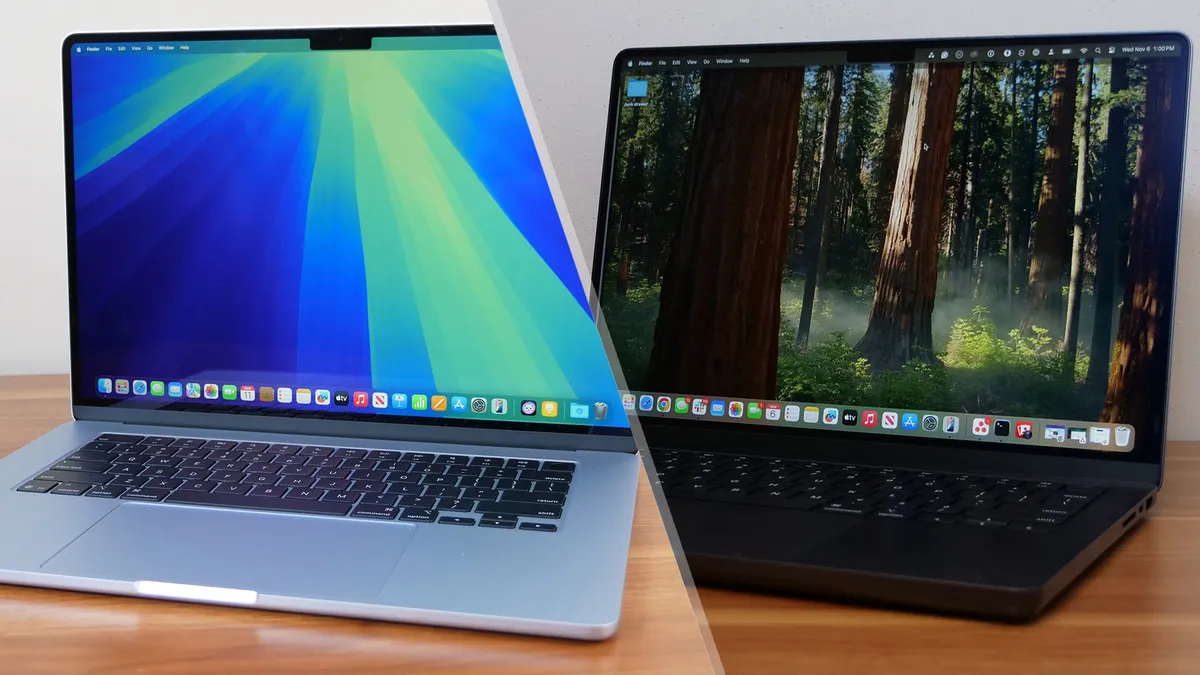
The biggest lingering complaint for the 15-inch Air M4 is the minimal ports and the 60Hz display. If you're worried about either one, consider our MacBook Air 15-inch M4 vs. MacBook Pro 14-inch M4 face-off, or just scroll down to the next selection in this guide.
See our full Apple MacBook Air 15-inch M4 review.
Click to view data in table format
| Header Cell - Column 0 | MacBook Air 15-inch M4 |
Asus Zenbook S 14 (UX5406) |
MacBook Air 15-inch M3 |
Lenovo Yoga 9i (Gen 9) |
|---|---|---|---|---|
Geekbench 6 (Higher is better) |
14,921 |
11,157 |
12,052 |
12,455 |
Handbrake conversion (Lower is better) |
4.57 |
8.28 |
6.30 |
5.10 |
SSD Transfer rate (Higher is better, MBps) |
Row 2 - Cell 1 | 1007.29 |
Row 2 - Cell 3 | 1016.42 |
BlackMagic Write (SSD speed) |
3,335.1 |
2,513.5 |
3,167.1 |
Row 3 - Cell 4 |
BlackMagic Read (SSD speed) |
3,012.5 |
2,590.1 |
2,968.2 |
Row 4 - Cell 4 |
Heat (Degrees Fahrenheit) |
90.0 |
97.7 |
83.5 |
95.0 |
Battery life (Higher is better) |
15.14 |
13.51 |
15.03 |
7.24 |
Display brightness (Higher is better) |
476 |
342 |
482 |
357 |
sRGB color gamut (Higher is better) |
118% |
116% |
109% |
192% |
DCI-P3 color gamut (Higher is better) |
83.5% |
82.0% |
77.5% |
136.3% |
Color accuracy (Lower is better) |
0.22 |
0.21 |
0.3 |
0.27 |
Sid Meier's Civ VI: Gathering Storm (1080p) |
44.735 |
48 |
Row 11 - Cell 3 | 34.97 |
Borderlands 3 (1080p) |
19.38 |
23.66 |
17.3 |
Row 12 - Cell 4 |
Shadow of the Tomb Raider |
31 |
19 |
Row 13 - Cell 3 | Row 13 - Cell 4 |
Cheapest MacBook Pro


Apple's 14-inch MacBook Pro M4 is the second generation of Apple's upgraded base MacBook Pro configuration, and the company ironed out almost every wrinkle from the previous generation. Even the base configuration of this laptop, starting at $1,599, is hardware worthy of a pro user.
Laptop Mag managing editor Sean Riley reviewed this laptop and said, "There's not another laptop in this price range that can match up across the board with the 14-inch MacBook Pro M4 in performance and efficiency, let alone its brilliant display, speakers, and webcam."
That base M4 offers plenty of performance for most users, and the laptop still boasts incredible longevity, with 18 hours and 32 minutes of battery life in our testing. The design is the one thing that has remained largely unchanged since the original launch in 2021, but it's not outdated yet.
One new option for both the 14-inch and 16-inch MacBook Pro in 2024 is a nano-texture display. This is designed to reduce the glare on the display in direct sunlight or any brightly lit environment. This $150 upgrade is well worth it if you often work in sub-optimal lighting conditions.
Now, if you are a content creator, a power user, or, dare we say it, even a gamer, then the M4 Pro or M4 Max models may be calling to you. While Apple still isn't challenging the best gaming laptops, it continues to put resources into bringing AAA titles to macOS, so casual gamers can opt for a MacBook without completely forgoing gaming.
The biggest complaint with the MacBook Pro, and it's a pretty minor one, is that we still don't have support for Face ID login, particularly with the notch appearing to offer enough space for it and the upgraded Apple 12MP Center Stage camera delivering perhaps the best pure webcam experience on any laptop. However, that's a minor quibble regarding a nearly perfect laptop.
See our full 14-inch MacBook Pro (M4, 2024) review.
Click to view data in table format
| Header Cell - Column 0 | Apple MacBook Pro 14-inch (M4, 2024) |
Apple MacBook Pro 14-inch (M3, 2023) |
HP Spectre x360 (14-inch, 2024) |
Asus Zenbook S14 UX5406S |
Premium laptops average |
|---|---|---|---|---|---|
Geekbench 6 (Higher is better) |
15,114 |
11,968 |
12,358 |
11,157 |
10,492 |
Handbrake conversion (Lower is better, MM.SS) |
04:28 |
05:38 |
07:30 |
08:28 |
06:18 |
Battery life (HH.MM) |
18:32 |
17:16 |
11:01 |
13:51 |
13:23 |
DCI-P3 Color Gamut (Higher is better) |
80.2 |
81.3 |
85.8 |
82 |
84.7 |
Display Brightness (Nits) |
556.6 |
558 |
366 |
555 |
434 |
Best Video Editing MacBook


The 16-inch MacBook Pro is the pinnacle of MacBook performance and efficiency, but it's also peak MacBook pricing, starting at $2,499, which is the only reason it finds itself at the end of this list. The simple truth is that most users do not need this kind of power, so they will be better served by one of the more affordable MacBooks on this list.
Starting at $2,499 for the M4 Pro model and $3,499 for the M4 Max model, the base 16-inch MacBook Pro pricing starts at $900 above even the 14-inch MacBook Pro. However, if you are a creative professional or someone who just wants the biggest and best without concern over cost, there's no question this laptop belongs on your shortlist.
Sean Riley, Laptop Mag's managing editor, said, "The entire package is remarkable, with unmatched performance, class-leading battery life, one of the brightest displays we've tested, excellent speakers, and a shockingly good webcam."
In our testing, battery life was almost otherworldly at 20 hours and 46 minutes, almost three hours longer than the previous generation. The M4 Pro also delivers better performance in almost every metric than the previous M3 Max, so think twice before buying a top-of-the-line previous generation if you think you're going to save money and beat the M4 Pro. We're also already seeing discounts on the M4 Pro.
Like the 14-inch model, a new nano-texture display option was added for 2024 that vastly reduces glare on the display in direct sunlight or any brightly lit environment. It's a $150 upgrade, but consider it if you regularly work in bright environments.
Like the 14-inch model, the design has remained unchanged since the 2021 refresh, but unless the notch is truly unacceptable for you (it shouldn't be; trust me, you get used to it), this isn't really a concern. My only real complaint about the current design is that the vents make it a bit uncomfortable to pick up, but again, this is a pretty trivial complaint.
I still would recommend a gaming laptop with a discrete GPU for those who want the best overall gaming experience, but the 16-inch MacBook Pro with M4 Pro or M4 Max is undeniably enough for anyone just looking to do some gaming on the side from the professional or enthusiastic amateur pursuits that motivated the MacBook Pro purchase.
To borrow from our review again, "Unless Windows is a must for you or your budget is $2,000 or less (in which case, let me introduce you to the 14-inch MacBook Pro M4), if you are a demanding power user or content creator, the 16-inch MacBook Pro M4 Pro is an easy recommendation."
See our full 16-inch MacBook Pro (M4 Pro, 2024) review.
Click to view data in table format
| Header Cell - Column 0 | Apple MacBook Pro 16-inch (M4 Pro, 2024) |
Apple MacBook Pro 16-inch (M3 Max, 2023) |
Lenovo Yoga Pro 9i 16 Gen 9 |
Asus ProArt PX16 2024 |
Premium laptops average |
|---|---|---|---|---|---|
Geekbench 6 (Higher is better) |
22,822 |
21,182 |
12,141 |
15,286 |
10,492 |
Handbrake conversion (Lower is better, MM.SS) |
02:38 |
02:36 |
03:53 |
03:15 |
06:18 |
Battery life (HH.MM) |
20:46 |
18:05 |
09:51 |
09:32 |
13:23 |
DCI-P3 Color Gamut (Higher is better) |
81.4 |
81.8 |
105.7 |
85.5 |
84.7 |
Display Brightness (Nits) |
565 |
558 |
373 |
356 |
434 |
FAQs
- Q: Should you buy a MacBook Air or MacBook Pro?
A: For a deep dive into this question, please read our MacBook Air vs. MacBook Pro buying guide, but at a very basic level, it breaks down to three things: budget, portability, and performance.
You can buy a MacBook Air for under $1,000, and even a higher-end configuration should stay below $2,000. The 14-inch MacBook Pro M3 starts at $1,599, and you can spend up to $7,200 for the top configuration of a 16-inch MacBook Pro M3 Max.
While the MacBook Pro line has gotten lighter, the 13-inch Air at 2.7 pounds is still far more portable. Things get muddier with the 15-inch MacBook Air at 3.3 pounds, which comes close to the 3.5 pounds of the 14-inch MacBook Pro. The 16-inch naturally sits at the top at 4.8 pounds.
Last but not least, we have performance. The Air models deliver excellent performance for fanless thin-and-light laptops, which will be enough for most typical use cases. With that said, both the MacBook Pro 14-inch and 16-inch are capable of far more with up to the M3 Max chip. We still have yet to see a laptop on the Windows side match the level of power and efficiency available on the MacBook Pro. - Q: Why are MacBooks so expensive?
A: There are a couple of ways to look at this. The biggest difference is that Apple doesn't have a budget MacBook.
If you compare a MacBook to the premium tier of Windows laptop makers, the value is at least relatively close and, at times, tips in the MacBook's favor. Things start to separate when you want to buy a MacBook with dramatically upgraded storage and RAM, as Apple charges quite a bit to upgrade both.
Typically, you'll find the best value in either the entry model or the first notch up from the entry-level, and by all means, check out our best MacBook deals, as while Apple rarely discounts its laptops, you can find great deals on them elsewhere. - Q: Are MacBooks good for gaming?
A: Apple is taking steps to improve MacBook gaming by working with developers, but they still don't hold a candle to the best gaming laptops. If you are a casual gamer, you'll be just fine gaming on a MacBook, but if gaming is one of your primary uses for your laptop, you should seek out another option. - Q: Do MacBooks have HDMI ports?
A: Only the MacBook Pro models offer HDMI ports. - Q: Do MacBooks have USB ports?
A: All current M4 MacBook Air models feature two USB4/Thunderbolt 4 ports. The M4 MacBook Pro models offer three USB4/Thunderbolt 4 port. - Q: Do MacBooks have touchscreens?
A: No, Apple does not offer a MacBook with a touchscreen. Pairing an iPad Air or iPad Pro with a Magic Keyboard Folio is the closest you will get, but we don't recommend trying to replace a MacBook with an iPad.
How to Choose the Best MacBook for You
The MacBook Air 13-inch M4 is an easy choice for most people. It comes in at $999 while offering a blend of performance, efficiency, and portability that is the envy of most of its Windows counterparts in this price range. The 13.6-inch display strikes a nice balance of screen real estate while retaining a form factor that will fit in almost any laptop bag. If you need a larger display, just look to the Air 15-inch which wraps all of that same goodness in a slightly larger package.
If you need more endurance or sustained performance for tasks like video editing, graphic design, etc, consider the 14-inch MacBook Pro with M4. It lasted for a remarkable 18 hours and 32 minutes on a charge in our Laptop Mag battery test and scored benchmark numbers that blow away much of the competition. It also gives you an SD card reader and HDMI output, which could save you from having to invest in or carry a MacBook USB-C hub or docking station.
Those three options should cover at least 95% of users. However, if you need a larger screen or vastly more power for professional apps, then the 14-inch MacBook Pro and 16-inch MacBook Pro with either the M4 Pro or M4 Max are outstanding options, just be prepared to spend between $2,000-$5,000, depending on how high your performance needs and budget goes.
How We Test MacBooks


We put MacBooks through extensive benchmark testing — both synthetic and real-world — before they end up in the hands of our reviewers. We evaluate everything from speed and battery life to display brightness, speaker volume, and system heat.
We use a Klein K10 colorimeter to detect the brightness and DCI-P3 color gamut of a laptop's display. For performance benchmarking, we run the laptop through a gauntlet of benchmarks, including Geekbench 6 and 3DMark professional graphics tests.
To determine real-world performance, we task the laptop to convert a 4K video to 1080p resolution and to duplicate a 25GB multimedia file. Our real-world graphics tests include Borderlands 3, Sid Meier's Civilization VI, Total War: Warhammer III and Shadow of the Tomb Raider with 1080p or higher resolution when the display supports it.
We also run heat tests by playing a 15-minute full-screen video, and our battery test consists of continuous web surfing over Wi-Fi at 150 nits of brightness. We consider everything over roughly 10 hours to be a good result.
Following these tests, I begin my hands-on testing. I spend days using the MacBook as my primary laptop to test real-world performance and live with the laptop to come away with a thorough understanding of the hardware and software experience. This blended lab testing and hands-on approach allows us to offer you a clear and comprehensive view of every laptop that comes through Laptop Mag.
Why Trust Laptop Mag
Laptop Mag reviews over a hundred different laptops every year, from paperweight ultralights to everyday workhorses to lumbering gaming notebooks that scorch the frame rates of even the hottest AAA games. We're not just experts in the laptop field, as we go one step further by meticulously testing smartphones, tablets, headphones, PC accessories, software, and even the latest in gaming.
We are 100% independent and have decades of experience to help you buy with confidence. In fact, Laptop Mag has been testing and reviewing products for three decades, and we continue to deliver trustworthy reviews you can rely on.
Our experienced team of writers and editors scour the available information about the laptop and put it through its paces to determine which is best for you. But before they start, the testing team subjects each system to a rigorous regimen of synthetic and real-world tests to see how a system handles the type of work and games you’re most likely to throw at it.
Our editorial trustworthiness is enforced by one of the world's largest technology publishers, Future Publishing. As a company, we have unrivaled experience across every tech sector — and we're the group's specialist for all things mobile tech.
