1. The list in brief ↴
2. Best overall
3. Best budget
4. Best gaming
5. Best business
6. Best MacBook Pro alternative
7. Best 2-in-1
8. Benchmark comparisons
9. Recently reviewed
10. FAQs
11. How to find the right laptop
12. How we test
13. Why trust Laptop Mag
If you look up the definition of "innovation," you might find Asus mentioned somewhere in there — that's what you'll find in the best Asus laptops.
Asus has been around since 1989, two years older than Laptop Mag, so the brand has accumulated a massive portfolio of laptops. With so many models to choose from, it can be hard to narrow it down to the best Asus laptop for you, specifically. But worry not; after reviewing dozens of laptops professionally for the last five years, I can help guide you to the perfect pick.
Plenty of Asus laptops regularly land a spot among the best laptops we've tested overall, along with more niche wins among the best 2-in-1 laptops and the best gaming laptops.
That's not to say every laptop Asus launches is a hit. There are plenty of Asus laptops that have only earned 3 or 3.5 out of 5 stars from us in a review. But for the most part, you can count on Asus to deliver well-constructed, high-quality laptops that'll last for years and come equipped with great quality-of-life features. And you can also depend on Asus for the occasional wildcard laptop with a bold new design or feature you never knew you needed.
Read on for a closer look at our top picks for the best Asus laptops in 2025, based on our testing and reviews.
Click to view recent updates to this page
Update log
5/16/2025: Added Asus Vivobook 16 Flip (TP3607) as the best 2-in-1 option and updated benchmark comparisons.
The Quick List

Best overall
The Asus Zenbook 14 OLED is a dream laptop for Asus lovers. Featuring a gorgeous OLED display, a powerful Intel Core Ultra 7 processor, and almost 16 hours of battery life!

Best budget
The Asus Chromebook Detachable CM3 can survive for nearly 12 hours on a single charge. It's also a 2-in-1, which means that it can transform into several different positions with that beautiful 10.5-inch, 1900 x 1200-pixel touchscreen.

Best gaming
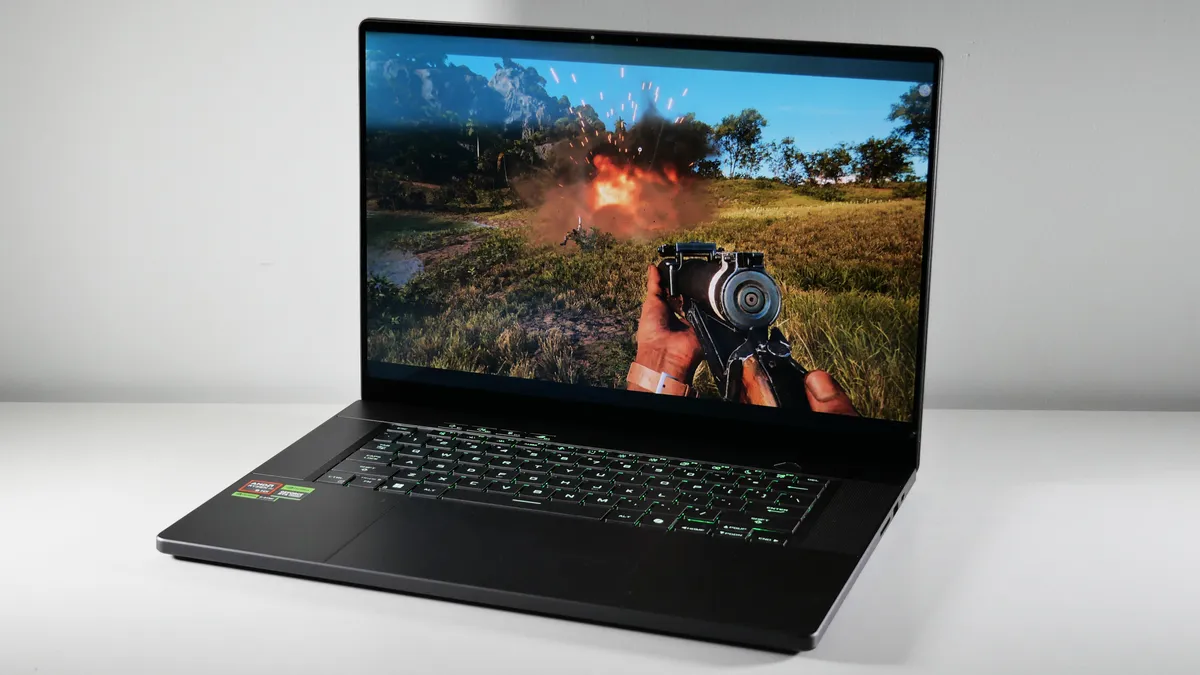
The Asus ROG Zephyrus G16 is an impressive piece of gaming tech that won't break the bank. Its colorful 16-inch OLED display shines alongside its powerful RTX 4070 GPU. You don't want to miss a sale on this absolute beaut.

Best business
The Asus ExpertBook P5 (P5405) is a beautiful business notebook with incredibly long battery life and great warranty support all for an affordable price. It even packs a bright display and strong productivity performance.

Best MacBook Pro alternative
Matching the MacBook Pro 14’s utilitarian design and performance is no easy feat. Still, the Asus ProArt P16 makes it look effortless. However, battery life is a little short.

Best 2-in-1
The Asus Vivobook 16 Flip (TP3607) is quite the convertible beauty, with a gorgeous 16-inch, OLED display, great battery life, and powerful performance, thanks to its Intel Core Ultra 7 processor and 32GB of RAM.

Although Sarah's daily driver laptop is a convertible Lenovo beauty, she's had plenty of experience with Asus laptops after over 5 years of professionally reviewing them. Asus makes stellar laptops, especially when it comes to gaming rigs (the ROG Zephyrus G14 earned a perfect score from us). Sarah knows exactly what to look for when it comes to selecting the best Asus laptops for your specific needs.
Best Overall
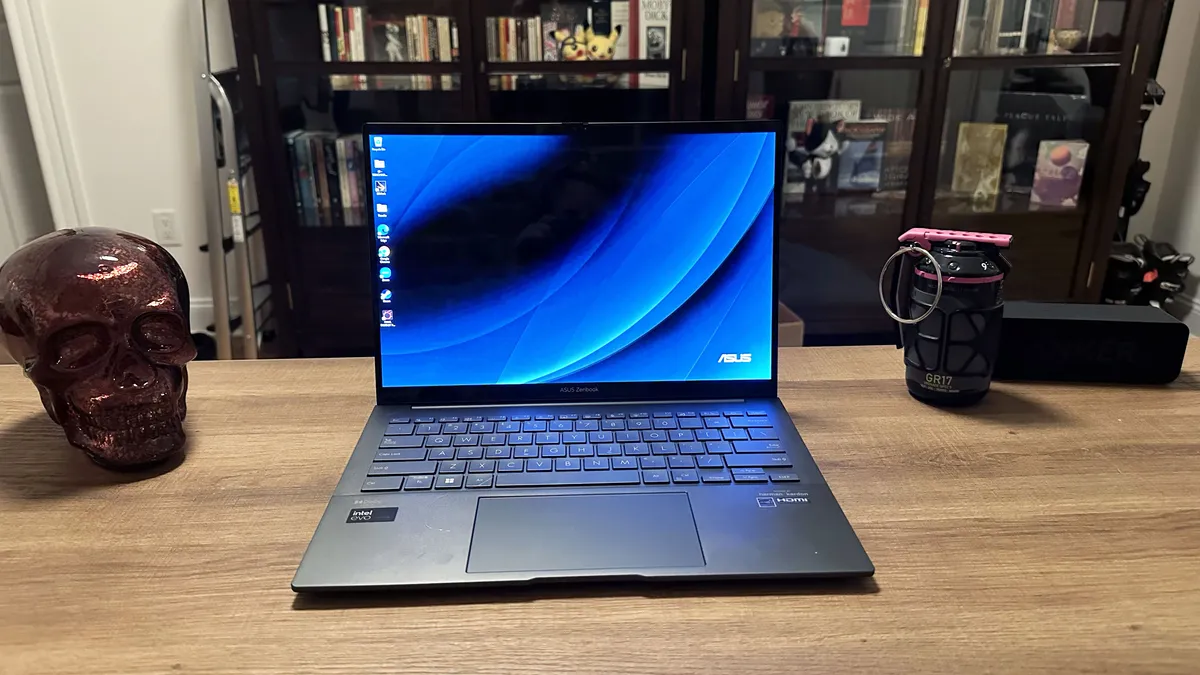

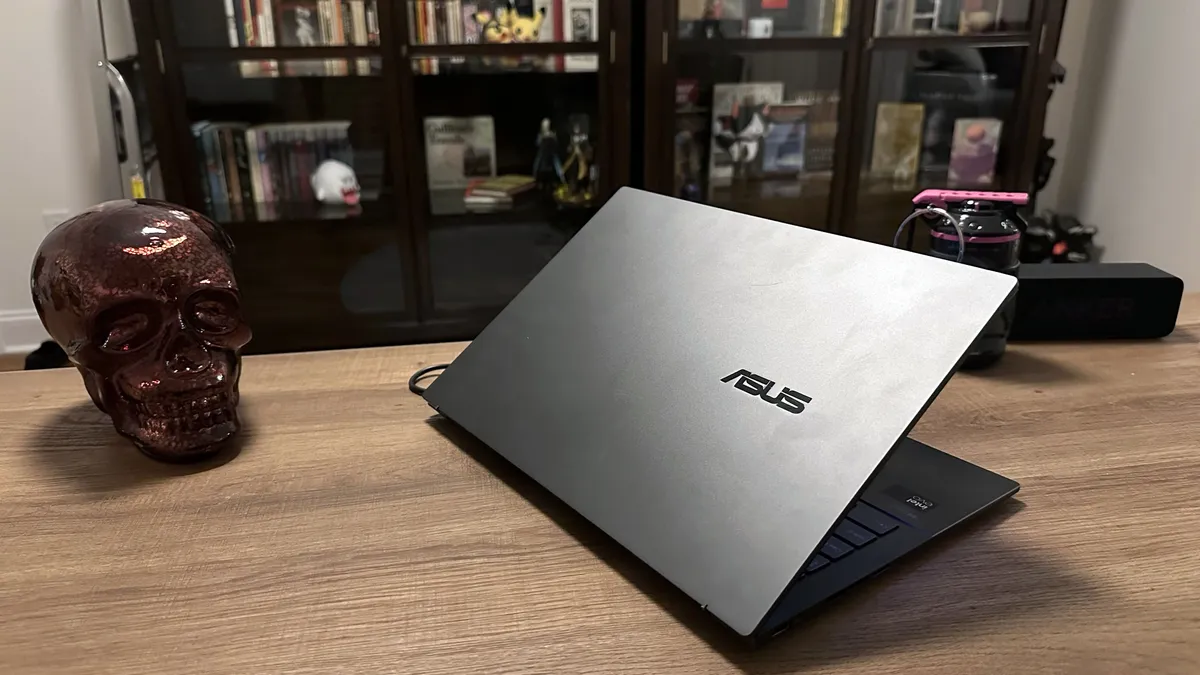


The Asus Zenbook 14 OLED (Q425M) is the perfect balance between quality and affordability, making it an excellent choice for most people. Thanks to its performance, display, and battery life, it shines.
✔️ You want a great package for a low price: With its Intel Core Ultra 7 processor and its 1080p OLED display, you're getting an excellent mix of specs all for under $1,000.
✔️ You want long battery life: This is the longest-lasting laptop on this list, coming in at 15 hours and 52 minutes. And at this price, you can't get anything better.
✖️ You need the best performance: Yes, the Intel Core Ultra 7 processor can do a lot for the price, but not everything. And with an integrated graphics card, this isn't playing AAA games on high settings anytime soon.
✖️ You'll use it in bright environments: Unfortunately, between the glossy panel and the low level of nits, you'll experience a lot of glare when looking at the display. So if you work in bright environments, maybe skip this one.
I do not often get to crown a laptop that starts at under $1,000 as the best for a whole brand's page. That's right. The Asus Zenbook 14 OLED (Q425M) is a killer laptop with incredible battery life at a surprisingly affordable price. It's our best for students' laptops on our best laptops page, and it even made its mark on the laptops with the best battery life page for its incredible 15 hours and 52 minutes of battery life.
Madeline Ricchiuto writes, "The bonus to all of that battery is the laptop’s snappy performance, quality audio, comfortable keyboard, and stunning OLED display panel," in our review of the Asus Zenbook 14 OLED (Q425M).
Despite its price, the Zenbook 14 is equipped with Intel's latest Core Ultra 7 155H, which offers enough power to handle a modest number of tasks. A Photoshop editing session combined with a couple dozen Chrome tabs and spreadsheets wasn't enough to slow it down.
It's not just performance and battery that takes this machine to the top. I love OLED displays, and my favorite part about the Zenbook 14 is its 14-inch, 1080p OLED display. This baby covers 79.8 percent of the DCI-P3 color gamut, averaging 339 nits of brightness. That means the Zenbook 14 will be there for you at the end of the day when you want to stream your favorite shows on a gorgeous window.
That battery will get you through work or school, but what about the keyboard? Thanks to their pleasant click-to-pressure ratio, these 1.4mm deep keys will carry you throughout the day. Take comfort in the comfort that this keyboard graces your fingertips with.
Then we've got the bumpin' Harman Kardon and Dolby Atmos-certified super-linear speakers that had us headbanging subconsciously. The Zenbook 14 captured quality mids and highs along with a wide bass.
The device is also remarkably thin, sliding in at 0.59 inches. Slot this into a medium-sized purse, and you're good to go. You can't forget about the webcam privacy shutter, which is an excellent feature in this day and age.
See our full Asus Zenbook 14 OLED (Q425M) review.
Best budget


The Asus Chromebook Detachable CM3 is reliable, versatile, and most importantly, affordable. Long battery life and a colorful display also take it a long way.
✔️ You want to spend as little as possible for a quality product: The Asus Chromebook Detachable CM3 is cheap, but that's not a bad thing. It supports a long battery life, a colorful display, and a durable design.
✔️ You want a versatile device: You want a laptop? You got it. You want a tablet? There ya go? You want to draw? Here's a stylus. This Chromebook has it all and for a low price.
✖️ You need strong performance: One of the caveats of cheap tech is that they're typically low performers. Compared with most laptops and smartphones, this Chromebook falls dead last.
✖️ You need Windows apps: One of the reasons why this works well despite its low performance is ChromeOS. However, you might need access to specific Windows apps, and this will not provide.
The Asus Chromebook Detachable CM3 is not only the best Asus Chromebook, it's one of our favorite Chrome OS devices we've ever tested. Yes, it’s a bit on the older side, but it’s incredibly versatile thanks to its laptop-to-tablet nature, built-in stylus, and long battery life.
Sean Riley writes, "While Chromebooks can start to feel like an endless sea of nondescript budget laptops, the Detachable CM3 feels like a rogue wave of clever ideas," in our review of the Asus Chromebook Detachable CM3.
It lasted 11 hours and 41 minutes on the Laptop Mag battery test. That’s enough time to outlast the average work or school day. You can even get some overtime or a head start on homework. Its weight and size make it much more portable, at 2 pounds (with keyboard and case) and 12.7 x 8.9 x 0.68 inches, respectively.
Speaking of its design — you can’t get more versatile than a durable 2-in-1 detachable. What makes it durable? It meets U.S. MIL-STD810H standards for bumps, shocks, and temperature changes. Otherwise, its design lets you use it as a laptop or tablet, and its cover lets you stand it vertically. And unlike some premium products, this Chromebook sports a built-in stylus, so you don’t have to pay extra.
Then we’ve got the 10.5-inch, 1900 x 1200 touchscreen display, which wowed us with its color and brightness. The Asus Chromebook Detachable CM3 covered 93.6 percent of the DCI-P3 color gamut and averaged 386 nits of brightness, which is more impressive than some premium laptops we test.
Unfortunately, the MediaTek MTK 8183 processor, 4GB of RAM, and 64GB of eMMC storage don't deliver much performance. However, if you buy it directly from Asus, you can get it for cheap. Please don’t purchase this device for anything over its launch price, which started at $329.
Overall, the CM3 is a fantastic device for kids, students, or anyone who needs a rugged, portable device for a budget-friendly price.
See our full Asus Chromebook Detachable CM3 review.
Best gaming


The Asus ROG Zephyrus G16 is the greatest all-around gaming laptop that you can get from Asus right now, and it keeps you ahead of the game with AI performance.
✔️ You want a great gaming performance with a gorgeous display: A problem with some gaming laptops is that you don't ever get powerful performance paired with a display that can keep up with the visuals. You don't have to worry here.
✔️ You want a long-lasting gaming laptop: This is quite the rare feature, and it's one of the reasons why we highly regard the Asus ROG Zephyrus G16. Over 9 hours of battery life in a gaming laptop is no joke.
✖️ You need a gaming laptop right this second: Do not buy this gaming laptop unless it is on sale. It's not worth the specs if you're buying over $2,000. It is a great machine, but you need to wait for a sale.
✖️ You have large hands: Despite being a 16-inch gaming laptop, the keyboard is quite cramped, so you might feel a bit uncomfortable if you don't have small hands.
The Asus ROG Zephyrus G16 may not come cheap, but it's worth the price of admission for the powerful new AMD Ryzen AI 9 HX 370 processor and its Nvidia GeForce RTX 4070 8GB GPU. So not only can you play the heck out of your favorite games but you can also dip your toes into the latest AI craze.
Rami Tabari writes, "There’s something about the gunmetal aluminum chassis that looks more svelte than the PC copycats trying to look like a MacBook," in our review of the Asus ROG Zephyrus G16.
This monster of gaming laptops crushed our benchmarks. For the most part, it maintained a good lead on its Intel counterpart (Intel Core Ultra 9 185H). The Zephyrus G16 sped through on the Assassin's Creed Mirage benchmark with a scorching 94 fps, sliding past the Intel Zephyrus (84 fps). It reached 104 and 35 fps on Shadow of the Tomb Raider and Cyberpunk 2077, respectively, destroying the Intel Zephyrus' scores of 94 fps and 30 fps, respectively.
Meanwhile, the new AMD Ryzen AI 9 HX 370 scored 15,408 on the Geekbench 6.3 overall performance test, which smoked the average premium gaming laptop at the time (10,857). Our video transcoding test was no match, as the Zephyrus completed it in just 3 minutes and 12 seconds, which flies over the Alienware m16 R2 (3:46) and Intel Zephyrus (4:06). However, the Zephyrus' 1TB SSD is a little on the slow side (1,233 MBps).
The chassis is stylish and reminds me of my favorite sci-fi films. But that's not the only shiny thing. The 16-inch, 2560 x 1600, 240Hz OLED display is rocking 82.1% of the DCI-P3 color gamut and 388 nits of brightness. Between its sharp visuals and smooth panel, you're getting a great package.
And with AMD's latest CPU, there are some other epic gains (by gains, I do mean battery life). The Zephyrus G16 lasted 9 hours and 14 minutes on the Laptop Mag battery test, which is 2-3x as long as we typically see a gaming laptop last in our testing.
However, it's not without some sacrifices. I thought the keyboard was a bit cramped, so this may work best for those with small hands.
Despite that, the Asus ROG Zephyrus G16 is a great gaming laptop.
See our full Asus ROG Zephyrus G16 (Ryzen AI 9) review.
Best business


The Asus ExpertBook P5 (P5405) is a master-class in what a business laptop should be. The price is one of the most eye-catching features, but what it provides for that price is even moreso.
✔️ You want a business laptop that's secure and affordable: The Asus ExpertBook P5 (P5405) offers all of the great features of a business laptop, including a long warranty period, MIL-SPEC durability, and security features like biometric login and more.
✔️ You need a wide array of ports: You get everything you need with two Thunderbolt 4 ports, an HDMI 2.1 port, two USB 3.2 Gen 2 Type-A ports, a 3.5mm headphone/mic jack, and a Kensington Nano Security Slot.
✖️ You need a colorful display for video or photo editing: While the ExpertBook P5 features a bright display, the color simply won't cut it for most graphic design professionals.
✖️ You're primarily a touchpad user: If you prefer a touchpad over a discrete touchpad... First, why? Second, maybe don't grab this laptop. The touchpad is mushy.
If you're looking for the best Asus business laptop — nay, one of the best business laptops, period — then you're going to want the Asus ExpertBook P5 (P5405). Its price and quality professional features set it apart.
Sean Riley writes, "The pricing on the ExpertBook P5 almost feels like a tax loophole, but I won’t tell if you won’t," in our review of the Asus ExpertBook P5 (P5405).
For context, that price starts at $1,099 at the time of writing. Now, most business laptops can skyrocket above $2,000. That's at least partly because they're marketed toward large companies with large bank accounts. The Asus ExpertBook P5 is a laptop for the people, small business owners who want an excellent laptop without wrecking their quarterly budget.
The Asus ExpertBook P5 even comes with a three-year limited warranty and one year of Accidental Damage Protection. We never see that in a consumer laptop. Even business laptops usually force you to pay extra for that kind of protection.
Packing into its sleek, modern design is a bright 14-inch, 2560 x 1600, 144Hz display, which is not something you'd find in the typical business notebook. It clocked in 77.3% of the DCI-P3 color gamut and averaged 465 nits of brightness. That means it's a bit dull in color but bright enough to take outside with you.
Ready for the performance? The Intel Core Ultra 7 258V processor comes in with a score of 11,259 on the Geekbench 6.3 overall performance test. Now that is a bit slower than the MacBook Air 13 (12,087, Apple M3) and the HP Elite x360 1040 G11 (12,857, Intel Core Ultra 7 165H), but it crushed the premium laptop average of 10,308.
We were pleasantly surprised with the keyboard as well. It featured 1.5mm key travel and well-spaced Chiclet-style keys, which let our fingers to fly across the keyboard with ease.
And if you want something long-lasting, the Asus ExpertBook P5 is the perfect laptop for you. The ExpertBook P5 lasted 14 hours and 22 minutes on the Laptop Mag battery test. That's nearly two full workdays. Play your cards right and you won't need to freak out if you forget your laptop charger at home.
Apart from the somewhat dull display, the touchpad click is mushy, so I would recommend using a discrete mouse.
See our full Asus ExpertBook P5 (P5405) review.
Best MacBook Pro alternative


The Asus ProArt P16 offers all the power and glory of the MacBook Pro except at $1,000 cheaper. Its competitive AI performance also gives it a serious advantage.
✔️ You want the best performance: With the latest AMD Ryzen AI 9 HX 370 and Nvidia GeForce RTX 4070 8GB GPU, you're getting an absolute monster in terms of performance. You even get new AI capabilities.
✔️ You need a colorful display: If you're a professional working in a video or photo-editing field, you'll benefit greatly from this laptop's 16-inch, 4K, OLED display due to its wide color range.
✖️ You need macOS apps: One thing that Windows laptops cannot compete with Apple on is macOS. You simply won't have access to certain apps you may need.
✖️ You need long battery life: Another place that the ProArt P16 falters against the MacBook Pro is on battery life. It's roughly 10 hours shorter on battery life. That's a gap simply unacceptable for some people.
Are you looking for a MacBook Pro equivalent for Windows that you don’t need to pay $3K+ to get? That’s why the Asus ProArt P16 is here. Starting under $1,999, you get quality performance, a colorful display, and strong speakers that a content creator could only dream of.
In our review of the Asus ProArt P16, Stevie Bonifield writes, "The Asus ProArt P16 is a superb creator laptop, boasting top graphics and AI performance, stellar audio, and a stylish design. "
Asus stacked the ProArt P16 with an AMD Ryzen AI 9 HX 370 CPU, 32GB of RAM, a 2TB SSD, and an Nvidia GeForce RTX 4070 GPU with 8GB of VRAM. The ProArt P16 scored 15,286 on the Geekbench 6.3 overall performance test and 24,284 on the 3DMark Fire Strike synthetic graphics test, which crushed the average laptop in its category.
Let’s move on to that beautiful 16-inch, 3840 x 2400, OLED display. The ProArt P16 reproduced 85.5% of the DCI-P3 color gamut and averaged 356 nits of brightness. That’s nearly on par with a MacBook Pro. The one advantage that the ProArt P16 has is its OLED panel, which presents deeper blacks and bolder colors.
For a beast of a machine, it’s relatively lightweight and slim as well. It weighs 4.08 pounds and measures 13.97 x 9.72 x 0.59 inches. And packed within that chassis are a pair of top-firing speakers, which showcase very discerning, clear audio with depth.
However, the only place where the MacBook Pro 14 dominates the ProArt P16 is in battery life. The ProArt P16 lasted only 9 hours and 32 minutes on our battery test. It can get you through the workday, but you’ll have to plug it in as soon as you get home.
Despite that, the Asus ProArt P16 is an excellent option. If you’re doing serious video editing, you’ll likely be plugged in to take full advantage of the GPU.
See our full ASUS ProArt P16 (2024) review.
Best 2-in-1


The Asus Vivobook 16 Flip (TP3607) is the 2-in-1 laptop of your dreams, whether you plan to draw in tablet mode, binge-watch your favorite show in tent mode, or work away in traditional laptop mode.
✔️ You can’t decide between a new laptop or tablet: The Vivobook 16 Flip makes it so you don’t have to pick one or the other. You’ll get a laptop and a tablet that both feature a gorgeous 16-inch, OLED display and powerful performance.
✔️ All-day+ battery life is important to you: This laptop lasted a whopping 13 hours and 47 minutes on our battery life test, so if you want to be able to stray from an outlet for long periods of time, this laptop won’t disappoint.
✖️ You’re a keyboard aficionado: If a top-notch, satisfyingly clacky keyboard is a must-have for you, this slightly mushy keyboard may leave you wanting.
✖️ You need a great built-in webcam: This laptop has a lot of stellar features, but a great webcam isn’t one of them. It’s a little grainy, and colors are a bit distorted.
The Asus Vivobook 16 Flip (TP3607) is easy to recommend as the best 2-in-1 laptop from Asus because it’s our top pick as the best 2-in-1 across all laptop brands. Sure, it may have a slightly mushy keyboard and a dull webcam, but those are the only two negatives about it. In all other ways, this convertible laptop radiates star quality.
In our review of the Vivobook 16 Flip (TP3607), Madeline Ricchiuto writes, “The Asus Vivobook 16 Flip stands out in this challenging landscape thanks to solid performance and power efficiency from its Intel Core Ultra 7 258V Lunar Lake chipset, a stunning OLED display, smooth iGPU gaming performance, access to advanced Copilot+ AI features, and an oversized touchpad.”
Put simply, this laptop has a lot of favorable features.
This 2-in-1 laptop delivered a solid Geekbench 6 score of 10,987, seamlessly handled multiple tabs during a real-world usage test, and managed to stay at a cool and comfortable 85.8 degrees under pressure.
In addition to its reliable performance, the Vivobook 16 Flip (TP3607) scored extremely well on the Laptop Mag battery life test. It lasted a whopping 13 hours and 47 minutes, which is more than enough to tackle a full workday and then relax with a TV show or a casual game at night before needing to worry about plugging it in.
If you max out the brightness on this laptop’s gorgeous 16-inch, 2880 x 1800, OLED display, you may find the battery drains a bit faster. But in exchange for seeing the “vibrant colors” and “lush, infinite contrast ratio,” we fully understand wanting to take in this display in all its stunning glory at max brightness.
With its larger 16-inch screen, this laptop isn’t the lightest 2-in-1 option you’ll find. It weighs 3.9 pounds, which honestly won’t feel like much more than some of the 2- and 3-pound convertible options with 14-inch displays. And if you plan to stream a lot of content on your 2-in-1 laptop in tablet or tent mode, you’ll be thankful for the extra screen real estate.
See our full Asus Vivobook 16 Flip (TP3607) review.
Benchmark comparisons
Click to view chart data in table format
| Header Cell - Column 0 | Asus Zenbook 14 OLED | Asus Chromebook Detachable CM3 | Asus ROG Zephyrus G16 | Asus ExpertBook P5 | Asus ProArt P16 | Asus Vivobook 16 Flip (TP3607) |
|---|---|---|---|---|---|---|
Geekbench 6 (Higher is better) | 12,707 | 1,412 | 15,408 | 11,259 | 15,286 | 10,987 |
Handbrake time ((MM.SS), lower is better) | 6.36 | Row 1 - Cell 2 | 3.12 | 7.27 | 3.15 | 7.41 |
Battery life - Web surfing (HH.MM) | 15.52 | 11.41 | 9.14 | 14.22 | 9.32 | 13.47 |
SSD transfer speeds (MBps, higher is better) | 1236 | Row 3 - Cell 2 | 1233 | 1784 | 1211 | 1756 |
DCI-P3 Color Gamut (Higher is better) | 79.8 | 93.6 | 82.1 | 77.3 | 85.5 | 84.4 |
Display Brightness (Nits, higher is better) | 339 | 386 | 388 | 465 | 356 | 356 |
Hottest temperature (95 degree comfort threshold) | 107.5 | Row 6 - Cell 2 | 131 | 103 | 87.6 | 85.8 |
Recently reviewed
FAQs
What's the best Asus laptop for students?
Why you can trust Laptop Mag Our expert reviewers spend hours testing and comparing products and services so you can choose the best for you. Find out more about how we test.
Unless you are going into graphic design, then the best Asus laptop for students is the one at the very top: Asus Zenbook 14 OLED. It offers everything you could possibly need: a great display, comfortable keyboard, and long battery life.
However, if you are going into graphic design (or you want to get some gaming in), you'll want to check out either the Asus ProArt P16 or the Asus ROG Zephyrus G16. Get whichever is more affordable (hint: wait for a sale).
Are Asus laptops good for gaming?
Yes! Asus gaming laptops are my favorite. In fact, I've been obsessing over the Asus Zephyrus G14 for years now.
But not all Asus laptops are good for gaming. And not all Asus gaming laptops are the best. Same logic goes for any brand with any type of product. See our reviews above. Our current favorite is the Asus ROG Zephyrus G16.
Do Asus laptops last long?
Not all laptops are created equal, but there are plenty of reliable Asus laptops, and many of them are on this page. I recently recommended the Asus Zenbook 14 OLED (Q425M) a close friend, and he confirmed that it's a really good laptop, "reliable" even.
Which Asus laptop is best for coding and/or programming?
For coding or programming purposes, it’s going to be more important to have a solid CPU and plenty of RAM, though adding a discrete GPU to the mix certainly won’t hurt performance (you will sacrifice battery life, though).
Among the best laptops for computer science students, we named the Asus TUF Gaming A14 as a great pick with a discrete GPU and the Asus Zenbook 14 OLED (Q425M) as a more affordable option.
How to choose the best Asus laptop for you
Do your intensive daily workloads require more RAM than the average Joe? Are you a video editor who needs extra storage? Are you a gamer who wants a powerful GPU? Sorting through the best Asus laptops to fit your lifestyle is tricky.
To simplify your shopping process, we put together some tried-and-true guidelines to help you find the best laptop for your specific needs.
Budget: What you get for the money.
A solid mainstream laptop from Asus will usually cost more than $800, and premium Asus laptops start at over $1,000. The best gaming laptops can cost $2.000 and up, but options like the Asus TUF Gaming A14 land on the more affordable side, earning a spot among the best gaming laptops under $1,500.
The CPU and GPU are among the most significant factors in the cost of any laptop, so don't pay for a premium gaming laptop from Asus if you're a casual gamer who prefers retro titles or spend up for an Asus ProArt content creator laptop with a 40 series GPU if you are going to be browsing the web and doing productivity tasks.
List the apps you use or games you want to play and start checking the PC requirements. You can likely take on anything non-graphic-intensive with a Core i7 or higher for traditional machines. In terms of gaming laptops, almost any with a 40-series GPU can play an indie game, but if you're dabbling in AAA titles, you have to decide which settings you're comfortable playing on and scale up to an RTX 4070 or higher as needed. RTX 50 series laptops are expected in late March or April, but you'll pay a premium to be among the first.
Screen Size: 12 to 14 inches for portability
Knowing a laptop's screen size tells you a lot about its portability overall. If you want to use your computer on your lap or carry it around a lot, go for one with a 12, 13, or 14-inch display. Asus does a great job of keeping laptops in these sizes thin and light regardless of the category.
If you want to use the computer on tables and desks and won't carry it around much, a 15-inch model may give you more value. Some gaming rigs, media machines, and workstations even have 17 or 18-inch screens, but steer clear of those if you need to tote this laptop in your bag daily.
Do you want a 2-in-1 or a clamshell?
Asus has some of the best 2-in-1 laptops with screens that either bend back 360 degrees or detach so you can use them as tablets. If you like using your laptop in slate mode for drawing, media consumption, or just standing it up, a 2-in-1 could be for you. However, you can often get better features or a lower price by going with a traditional clamshell-style laptop.
How much battery life do you need?
If you're on the go, you'll need to make sure you snag a laptop that lasts more than 10 hours. But if you're a homebody or tied to your desk all day, perhaps you can sacrifice some battery life and save money. If battery life is your top priority, check out our laptops with the best battery life list, which includes a couple of options from Asus.
Specs: 1080p / Core i5 (Ultra 5) / 256GB / 8GB are a good baseline
You can spend a lot of time delving into specs on Asus laptops, but here are the key components. If you just want good mainstream performance, go for a Core i5 (Ultra 5) CPU, 8GB of RAM, a 256GB SSD, and a 1080p screen. If it's within your budget, consider upgrading to 16GB of RAM, particularly if you like to multitask.
How We Test the Best Asus Laptops


We put each laptop through extensive benchmark testing—both synthetic and real-world—before we send it to our reviewers. We evaluate each aspect of the laptop, including its performance, battery life, display, speakers, and heat management.
Now, Asus laptops are interesting because we're not only looking for the best but also the most innovative. We do that because Asus is leading in terms of innovation. That's why we also have the best MacBook Pro alternative (because Asus can do it better). No one test is explicitly more important than the other, however.
In our benchmark testing, we use a Klein K10 colorimeter to detect the laptop's display's brightness and sRGB color gamut. For performance testing, we run the laptop through a gauntlet of benchmarks, including Geekbench 5 and 6 and 3DMark professional graphics tests.
To determine real-world performance, we task the laptop with converting a 4K video to 1080p resolution and duplicate a 25GB multimedia file. Our real-world graphics test is Sid Meier's Civilization VI: Gathering Storm benchmark with medium settings at 1080p resolution.
We also run heat tests by playing a 15-minute full-screen video and measuring temperatures in different areas of the laptop. Last but not least, our battery test consists of continuous web surfing over Wi-Fi at 150 nits of brightness. For MacBooks and premium Windows 11 laptops, a runtime of over 9 hours is considered a good result, whereas gaming laptops and workstations that can stay powered longer than 5 hours deserve praise.
Following these tests, the laptop is given to our expert reviewers for extensive hands-on testing. Our reviewers will spend days using the laptop as part of their typical workflow to get a sense of the real-world performance and live with the laptop to come away with a thorough understanding of the hardware and software experience. This blended lab testing and hands-on approach allows us to offer you a clear and comprehensive view of every laptop that comes through Laptop Mag.
See this page on How We Test Laptops for more details on our benchmarking procedures.
Why Trust Laptop Mag
Laptop Mag reviews over one hundred different laptops every year, from paperweight ultralights to everyday workhorses to lumbering gaming notebooks that scorch the frame rates of even the hottest AAA games. We're not just experts in the laptop field, as we go one step further by meticulously testing smartphones, tablets, headphones, PC accessories, software, and even the latest in gaming.
We are 100 percent independent and have decades of experience to help you buy with confidence. In fact, Laptop Mag has been testing and reviewing products for three decades and continues to deliver trustworthy reviews you can rely on.
Our experienced team of writers and editors scour the available information about the laptop and put it through its paces to determine which is best for you. But before they start, the testing team subjects each system to a rigorous regimen of synthetic and real-world tests to see how a system handles the type of work and games you’re most likely to throw at it.
Future Publishing, one of the world's largest technology publishers, enforces our editorial trustworthiness. As a company, we have unrivaled experience across every tech sector — and we're the group's specialist for all things mobile tech.

